Saturday, March 18, 2006

Extrusion Detection


I'm currently reading this book, written by Richard Bejtlich. I'm not yet finish reading it but the book is promising, I'm practicing NSM for quite sometimes which I belief it's the best model for Network Security Analyst. NSM takes "Zero Escaped" approach, it is possible to deploy NSM with commercial hard/software but if you are looking fo NSM suite, that must be Sguil which is one powerful Open Source project that allows you to perform NSM operation. Check it out!

Back to the book, I found the book mentionning about Prelude-IDS, I use prelude-IDS for the fact that it allows me to collect host IDS log(with samhain) and firewall log instead of network IDS. Prelude-ids has stopped developing it's own network IDS and instead you can compiled snort with prelude support and enable it in command line with --enable-prelude since the developers of prelude-IDS believes that snort has already done a good job in NIDS and prelude-IDS will take another approach which is agent based system.

Another thing I would like to talk about is the OpenBSD PF usage, especially when performing Extrusion Detection, one of the my own war story that happenned 2 years back is that I enable the log capability for the network interface that connected to intranet on the OpenBSD router that I setup for my friend's company network, and that might help in collecting Firewall logs to analyzt, another tool I use is pftop which is pf state viewer. Pftop can show the statistics and the network flows in real time. It happens where my friend call me up to tell me that his whole network screws up and none can browse the internet. Then I quickly login to his router, check the Firewall log and launch pftop to monitor what was happening, and what surprise me is that there are two hosts that trying to perform denical service as well as trying to connect to port 139 of every single host in the network, it hits the host IP from 1-255. I quickly go down town and ask my friend to shut down all the hosts in the network since I need to collect volatile data from the two hosts that trying to spread malicious functions first before all other hosts get infected, then quickly collecting the data and shutdown those two hosts and resume the network without delay. After all, the network resumes and working properly. Therefore I just took my time to analyze those two machines and found something fishy in registry. Pftop should be used at Extrusion Detection for the fact that it might help when you feel something is wrong in your network and you may see the traffic leaving your network on the fly.

Collecting full content data is expensive especially when the network is a busy one. However you can turn to collect session data if you can't perform full content data logging. For this part I would like to outline something, is there a guideline for the full content data logging, such as for 2Mb internet connection, how much harddrive space we need, and for 8Mb internet connection, how much harddrive space we need to acquire and for how long we can keep it. I'm looking forward for this type of guideline which may help others to deploy NSM model since this is great profiling to be done.

I will talk about the book later when I get to finish reading it. If you found yourself like this book as well as the idea and concept that Richard tries to deliver, you may find yourself enjoy reading his another book which is The Tao of Network Security Monitoring: Beyong Intrusion Detection.

By reading Rich's book and blog, and through chat session with him in IRC, I do learn a lot about network security down from essential to advance, hereby I take this oppoturnity to say thanks again and I do really appreciate, as I always do.


Wednesday, March 15, 2006

Blogger - BANG!!!

Blogger.com is currently having issue where I can't seem to upload screenshots, hopefully it will be fine as soon as possible since I don't want to stop posting because of the problem. Be patient of myself.

Cheers :)

Shell Programming Book again ...


To get yourself out of Unix Shell Programming Myth, this book is a must read - Unix Shell Programming, I'm currently reading and finding out that this book aims in creating simplicity for it's audience. You don't have to take painful process to RTFM in order to understand and learn Unix System underlying basic commands and tools, the book has covered most of them by showing very good examples. You might be very productive and handy to work with Unix System since the book improving your understanding of how Unix system works as well.

The authors of the book are Stephen adn Patrick, both of them are long time Unix l33ts.

Peace :)

Monday, March 13, 2006

Sguil Spawning

There are two projects that spawned to enhance the Sguil experience, first would be instantNSM that I have mentionned quite a few times, however there are still not many people knowing what instantNSM is and the existance of it even. Here I would like to emphasize again about this project, if you feel that Sguil is hard to deploy due to the problem of getting all the components working properly, that's the main reason why instantNSM is here to serve that purpose, easing the installation and configuration of sguil so that Sec Analyzt can start tinkering with sguil without much hassle going through deployment phase. Though it is linux centric however Hanashi promises to add supports for other OS platforms in future.

Squert - Simple Query and Report Tool for Sguil, aims to generate web base report via browser. It is useful when you don't have sguil client installed but only web browser, though this can give a quick overview and report to the admin of the sguil who don't have time to monitor the event in real time. I haven't have time to try Squert yet so not much comments about it, but I believe it should be useful and benefit Sguil users.

Here are the links of two projects that I have mentionned, feel free to give it a try.

http://instantnsm.sourceforge.net/

http://squert.sourceforge.net/


Powered by Sguil the F8 Monkey (:])

Saturday, March 11, 2006

OpenBSD - Cooking FTP with WGET

Here's little tip about the coexist of OpenBSD ftp client and wget, if you are downloading files using OpenBSD ftp client, and there you get connection breaks half way you downloading the files and leaving the smaller chunks of incomplete files in your system, you can actually use wget to resume the connection and continue downloading the incomplete files. Just use wget -c and you are done.


With wget you won't feel shit when you have intermittent connection that offered by your ISP.

Cheers :)

CSI - Utilize Open Source

Watching my favourite show - CSI Miami, I'm always enjoying myself and feel attached when the CSI team performing Computer Forensic Investigation, the recent episode that broadcasted in Astro mentionned about using Open Source Forensic Tool - The Coroner Toolkit(TCT) that designned by Dan Farmer and Wietse Venema. One of the small utility that provided by TCT is grave-robber, that's the tool that used to collect volatile data in live system before taking it down to ensure system's integrity. It's always enjoyable when you seeing Open Source Tool been used somewhere.

CSI uses Open Source, how about FBI :]

Tuesday, March 07, 2006

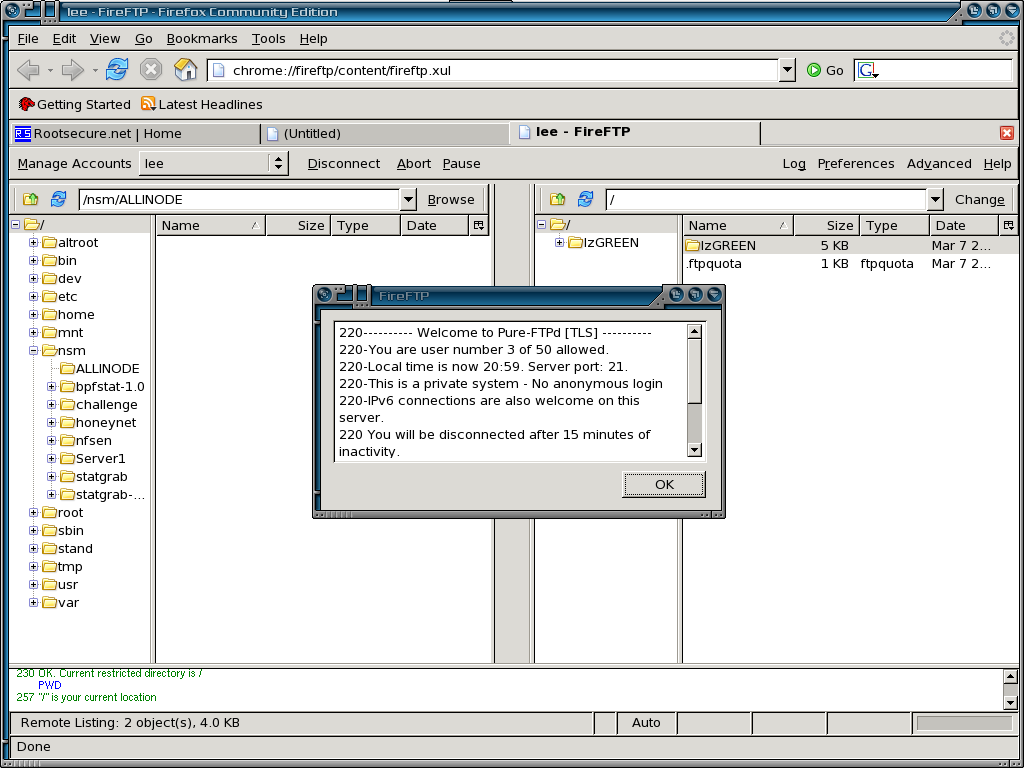
Firefox Ftp Plugin - FireFTP

I just come across this plugin and I think this is a must for most of desktop users out there, while most of IE users can use drag and drop features to upload or download thru FTP, I think this might help desktop users who are not keen on CLI and just use it as tool for daily task. Hence this Firefox plugin suits all the users out there when they need to use ftp.

Here's the GUI of FireFTP -


You can download FireFTP here.

Enjoy :)

OpenBSD - AC

AC - the tool to count the connect time of specific users, it's real useful when we need to check whether the user has login and how long he or she logins to the terminal, I encourage people to look at the unix standard tool when comes to system monitoring because all those tools are available in every single variant of unix alike system. Here's how I make use of ac.

Total time of user root at ttyp1

shell>ac -t ttyp1 root
total 61.48

Total time of user by day/24 hours scale of user root at ttyp1

shell>ac -d -t ttyp1 root
Feb 22 total 10.12
Feb 23 total 37.19
Feb 24 total 14.18

Totaly time of all users

shell>ac -p
dummy 0.02
root 243.93
total 243.95

This is a quickie to help system administrator so that they manage to check on the login users easily.

Peace :]

Monday, March 06, 2006

OpenBSD - bzipx

Since OpenBSD don't have tar xvjf option to decompress tar.bzip2 file, I think I suppose share my user friendly bzipx script which I wrote and clean the script just by today so that it works for all the OpenBSD users as long as you have bzip2 installed. It by no mean perfect but maybe it helps people who lazy to type long commands. Here's the script -

#!/bin/ksh

# Written by geek00L[20060223] - The easy bzip2 decompression script for OpenBSD
# Revision
# 20050306 - Improved error message handling as well as bzip2 checking

if [ -f /usr/local/bin/bzip2 ]
then
echo "bzip2 is installed" > /dev/null;
else
echo "bzip2 not found, please install it via ports/packages";
exit 1

fi

Kompressed="$1"

if [ $# -ne 1 ]
then
echo "Usage : $0 compressed_file"
exit 1
fi

if [ -f $Kompressed ];
then
/usr/local/bin/bzip2 -d < $Kompressed | tar xvf -
fi

To use it, just download and put the script to /usr/local/bin, remember to chmod +x :)

shell>bzipx
Usage : /usr/local/bin/bzipx compressed_file

Decompress gaim source file .....

shell>bzipx gaim-1.5.0.tar.bz2
gaim-1.5.0
gaim-1.5.0/INSTALL
gaim-1.5.0/Makefile.in
gaim-1.5.0/gaim.desktop
gaim-1.5.0/ChangeLog
gaim-1.5.0/gaim.apspec.in
gaim-1.5.0/config.h.mingw
gaim-1.5.0/gaim.spec.in
gaim-1.5.0/install-sh
gaim-1.5.0/pixmaps
gaim-1.5.0/pixmaps/gaim_msgpend_16.ico
gaim-1.5.0/pixmaps/gaim_offline_16.ico
gaim-1.5.0/pixmaps/info.png
gaim-1.5.0/pixmaps/gaim_offline.ico
gaim-1.5.0/pixmaps/Makefile.in
gaim-1.5.0/pixmaps/send-im.png
gaim-1.5.0/pixmaps/gaim_msgunread_16.ico
gaim-1.5.0/pixmaps/msgpend.png
gaim-1.5.0/pixmaps/text_normal.png
gaim-1.5.0/pixmaps/tb_drag_arrow_right.xpm
gaim-1.5.0/pixmaps/gaim_offline_4bit_16.ico
gaim-1.5.0/pixmaps/gaim_warning.png
gaim-1.5.0/pixmaps/away.png
gaim-1.5.0/pixmaps/insert-smiley-small.png
gaim-1.5.0/pixmaps/text_smaller.png
...............

That's all for now, enjoy :]

Sunday, March 05, 2006

Awk/Sed to Perl

When one of my pal asking is there a way to port awk script to perl, I remember there's a tool that I haven't tried before which able to convert awk script to perl script, and yes it is in the OpenBSD port as well, I quickly install it and give it a try.

A2P - Awk to Perl converter

I just write a simple awk filter to try out which is awk-test

shell>cat awk-test

# Simple Awk filter to search for the non-numeric at first field of data

!/^[0-9]/{ print $1 }

Then this is the file I want to filter - datafile

shell>cat datafile
Bon Jovi 190
Lee 20
Ven 2000
Jack 100222
890 Lee

This is the result when I run the awk simple script against datafile.

shell>nawk -f awk-test datafile
Bon
Lee
Ven
Jack

Since it works, then I try to use a2p to convert it to perl code.

shell>a2p awk-test
#!/usr/bin/perl
eval 'exec /usr/bin/perl -S $0 ${1+"$@"}'
if $running_under_some_shell;
# this emulates #! processing on NIH machines.
# (remove #! line above if indigestible)

eval '$'.$1.'$2;' while $ARGV[0] =~ /^([A-Za-z_0-9]+=)(.*)/ && shift;
# process any FOO=bar switches

$, = ' '; # set output field separator
$\ = "\n"; # set output record separator

while (<>) {
($Fld1) = split(' ', $_, 9999);
if (!/^[0-9]/) {
print $Fld1;
}
}

Once I have the output, I redirect it to aperl-test.

shell>a2p awk-test > aperl-test

shell>chmod +x aperl-test

Now I run the perl script that converted from awk and it works :)

shell>./aperl-test datafile
Bon
Lee
Ven
Jack

Later I found out there's sed to perl converter too and feel fun to check it out.

s2p - Sed to Perl Converter

shell>cat sed-test

# Simple Sed filter to search for : and replace with null globally
s/://g

I create the file called datafile2 to try out the filter.

shell>cat datafile2
Lee: 123
Tia: 456
Test: 789
god: 345
ghost: 098

I directly convert the sed script to perl script.

shell>s2p -f sed-test
#!/usr/bin/perl -w
eval 'exec /usr/bin/perl -S $0 ${1+"$@"}'
if 0;
$0 =~ s/^.*?(\w+)[\.\w+]*$/$1/;

use strict;
use Symbol;
use vars qw{ $isEOF $Hold %wFiles @Q $CondReg
$doAutoPrint $doOpenWrite $doPrint };
$doAutoPrint = 1;
$doOpenWrite = 1;
# prototypes
sub openARGV();
sub getsARGV(;\$);
sub eofARGV();
sub printQ();

# Run: the sed loop reading input and applying the script
#
sub Run(){
my( $h, $icnt, $s, $n );
# hack (not unbreakable :-/) to avoid // matching an empty string
my $z = "\000"; $z =~ /$z/;
# Initialize.
openARGV();
$Hold = '';
$CondReg = 0;
$doPrint = $doAutoPrint;
CYCLE:
while( getsARGV() ){
chomp();
$CondReg = 0; # cleared on t
BOS:;
# s/://g
{ $s = s /://sg;
$CondReg ||= $s;
}
EOS: if( $doPrint ){
print $_, "\n";
} else {
$doPrint = $doAutoPrint;
}
printQ() if @Q;
}

exit( 0 );
}
Run();

# openARGV: open 1st input file
#
sub openARGV(){
unshift( @ARGV, '-' ) unless @ARGV;
my $file = shift( @ARGV );
open( ARG, "<$file" )
|| die( "$0: can't open $file for reading ($!)\n" );
$isEOF = 0;
}

# getsARGV: Read another input line into argument (default: $_).
# Move on to next input file, and reset EOF flag $isEOF.
sub getsARGV(;\$){
my $argref = @_ ? shift() : \$_;
while( $isEOF || ! defined( $$argref = ) ){
close( ARG );
return 0 unless @ARGV;
my $file = shift( @ARGV );
open( ARG, "<$file" )
|| die( "$0: can't open $file for reading ($!)\n" );
$isEOF = 0;
}
1;
}

# eofARGV: end-of-file test
#
sub eofARGV(){
return @ARGV == 0 && ( $isEOF = eof( ARG ) );
}

# makeHandle: Generates another file handle for some file (given by its path)
# to be written due to a w command or an s command's w flag.
sub makeHandle($){
my( $path ) = @_;
my $handle;
if( ! exists( $wFiles{$path} ) || $wFiles{$path} eq '' ){
$handle = $wFiles{$path} = gensym();
if( $doOpenWrite ){
if( ! open( $handle, ">$path" ) ){
die( "$0: can't open $path for writing: ($!)\n" );
}
}
} else {
$handle = $wFiles{$path};
}
return $handle;
}

# printQ: Print queued output which is either a string or a reference
# to a pathname.
sub printQ(){
for my $q ( @Q ){
if( ref( $q ) ){
# flush open w files so that reading this file gets it all
if( exists( $wFiles{$$q} ) && $wFiles{$$q} ne '' ){
open( $wFiles{$$q}, ">>$$q" );
}
# copy file to stdout: slow, but safe
if( open( RF, "<$$q" ) ){
while( defined( my $line = ) ){
print $line;
}
close( RF );
}
} else {
print $q;
}
}
undef( @Q );
}

Converting and writing the perl code to sperl-test.

shell>s2p -f sed-test > sperl-test

shell>chmod +x sperl-test

Trying to run the converted perl script against datafile2 and it works since all the : gone :)

shell> ./sperl-test datafile2
Lee 123
Tia 456
Test 789
god 345
ghost 098

Most code monkey will write their own codes but this kind of tools just about easing the code porting especially for simple codes that don't overkill.

Cheers :]

Saturday, March 04, 2006

OpenBSD IpSEC

These are two useful links regarding OpenBSD vpn solution - IpSEC, for anyone who interested and would like to check out how to build solid vpn solution with OpenBSD. If you want a quick setup, go to

http://www.securityfocus.com/infocus/1859

If you want to have better understanding of how it works, go to

http://www.papamike.ca/tutorials/pub/obsd_ipsec.html

Have fun with VPN!!!!! :]

Friday, March 03, 2006

OpenBSD - fstat vs lsof

I'm all time lsof users when I need to list open files by the process that running on the system, however when I get lsof installed on OpenBSD and try to run it, I get an error which is real bad - Segmentation fault(core dumped).

shell>pkg_add ${PKG_PATH}lsof-4.75p0

shell> lsof
Segmentation fault (core dumped)

Then I turn to fstat which is the native tool that listing open file handles of running process. When I run it against process ID 25166, it shows me the INUM - inode number of the file and with it's mount point. But it seems that it only shows the parent path of the files and doesn't show the actual files but it's inode number only, here we see the advantage of using lsof over fstat alone.

shell>fstat -p 25166
USER CMD PID FD MOUNT INUM MODE R/W DV|SZ
www httpd 25166 root /var 37892 drwxr-xr-x r 512
www httpd 25166 wd /var 37892 drwxr-xr-x r 512
www httpd 25166 0 / 1432 crw-rw-rw- r null
www httpd 25166 1 / 1432 crw-rw-rw- w null
www httpd 25166 2 /var 38655 -rw-r--r-- w 14472
www httpd 25166 3 /var 38657 -rw-r--r-- w 14993
www httpd 25166 4 / 1430 crw-rw-rw- rw crypto
www httpd 25166 15 /var 38655 -rw-r--r-- w 14472
www httpd 25166 16* internet stream tcp 0xd3ae6000 *:80
www httpd 25166 17 /var 38656 -rw-r--r-- w 13091

How I gonna locate the inode, maybe I can use icat or ils in sleuthkit, but doesn't it sound overkill to locate open file by using Forensic tool, I quickly check the man page of OpenBSD and luckily I found this native tool in OpenBSD - ncheck_ffs. Ncheck_ffs is used to generate the file name from inode number,

If I want to just have quick checking on process 25166 and for example one of inode number is 37892, since my /var is mounting at /dev/wd0e, I can just run.

shell>ncheck -i 37892 /dev/wd0e
/dev/rwd0e:
37892 /www/.

However that's not effective since I have to check on it's inode manually and it's time consuming for single process with lots of inodes locating. Then I think of better idea where I generate all the file names based on it's inode numbers with ncheck_ffs so that I can reference later. But before that I need to identify my filesystem by checking my /etc/fstab or using df.

shell>df -h
Filesystem Size Used Avail Capacity Mounted on
/dev/wd0a 245M 34.8M 198M 15% /
/dev/wd0g 145M 2.0K 138M 0% /home
/dev/wd0h 3.6G 1.2G 2.2G 35% /nsm
/dev/wd0d 245M 2.0K 233M 0% /tmp
/dev/wd0f 2.5G 1013M 1.3G 42% /usr
/dev/wd0e 1008M 8.2M 949M 1% /var

Creating directory to store all inodes reference file

shell>mkdir /nsm/ALLINODE

Generate file names with it's inode numbers for all filesystems.

shell>ncheck -m /dev/wd0a > /nsm/ALLINODE/root_inode
shell>ncheck -m /dev/wd0d > /nsm/ALLINODE/tmp_inode
shell>ncheck -m /dev/wd0e > /nsm/ALLINODE/var_inode
shell>ncheck -m /dev/wd0f > /nsm/ALLINODE/home_inode
shell>ncheck -m /dev/wd0g > /nsm/ALLINODE/usr_inode
shell>ncheck -m /dev/wd0h > /nsm/ALLINODE/nsm_inode

shell>cd /nsm/ALLINODE/

shell>cat root_inode tmp_inode var_inode \
home_inode usr_inode nsm_inode > all_inode

I'm now having all the inode numbers with it's file names in all_inode. I can refer back later, to ease my work, I decide to write a crap script to check on the process as I hate doing the same thing again and again. I named my script as iREFERENCE.sh, below it's my script content.

##################Script Starts#####################

#!/bin/ksh

# Fstat Enhanced Script to view the file with it's correlated inode
# Written by geek00L[20060302]

IRF=/nsm/ALLINODE/irf.sys
fstatmp=/nsm/fstat_tmp

# Creating Inode Reference File

if [[ -s /nsm/ALLINODE/all_inode ]];
then
print "\nInode reference file exists!!!!! Continue checking process\n"
else
mkdir /nsm/ALLINODE
ncheck -m /dev/wd0a > /nsm/ALLINODE/root_inode
ncheck -m /dev/wd0d > /nsm/ALLINODE/tmp_inode
ncheck -m /dev/wd0e > /nsm/ALLINODE/var_inode
ncheck -m /dev/wd0f > /nsm/ALLINODE/home_inode
ncheck -m /dev/wd0g > /nsm/ALLINODE/usr_inode
ncheck -m /dev/wd0h > /nsm/ALLINODE/nsm_inode
cd /nsm/ALLINODE/
cat root_inode tmp_inode var_inode home_inode usr_inode nsm_inode \
> all_inode
nawk '{ print $8, $9 }' all_inode > irf.sys
fi

ps auxww | nawk '{ print $1, $2, $11 }'
echo "Which process you want to check it's listed open file?"
read process

if [[ -x /usr/bin/fstat ]];
then
fstat -p $process | nawk '{ print $6 }' | egrep '^[0-9]' > $fstatmp
fi

for i in $(cat /nsm/fstat_tmp);
do
grep "^$i " $IRF >> /nsm/fstat_$process
done

echo "The open files by the specified process is stored in /nsm/fstat_$process."

##################Script Ends#####################

To use the script,

shell>./iREFERENCE.sh

Inode reference file exists!!!!! Continue checking process

USER PID COMMAND
root 1 /sbin/init
root 11508 syslogd:
_syslogd 32431 syslogd
root 18993 pflogd:
_pflogd 31619 pflogd:
www 4185 httpd:
root 13732 sendmail:
www 8854 httpd:
www 25166 httpd:
www 13886 httpd:
www 31657 httpd:
www 3031 httpd:
root 14993 /usr/sbin/sshd
root 14660 cron
root 32610 sshd:
root 7535 sshd:
root 3563 /bin/ksh
root 15570 -ksh
root 10236 -ksh
root 8500 /bin/ksh
root 6397 /bin/ksh
root 29120 ps
root 15303 -ksh
root 12908 script
root 485 script
root 31694 /usr/libexec/getty
root 8702 /usr/libexec/getty
root 5759 /usr/libexec/getty
root 6144 /usr/libexec/getty

Which process you want to check it's listed open file?
25166

The open files by the specified process is stored in /nsm/fstat_25166.

shell> cat /nsm/fstat_25166
37892 /www/.
37892 /lib/apache/modules/.
37892 /www/.
37892 /lib/apache/modules/.
1432 /dev/null
1432 /dev/null
38655 /www/logs/error_log
38657 /www/logs/access_log
1430 /dev/crypto
38655 /www/logs/error_log
38656 /www/logs/ssl_engine_log

Remember the /var is not shown because it won't show the parent path, especially since I ignore the / reference inode in ncheck_ffs without using -a option when generating all inodes. / is always with the inode of 2 so we can just ignore it. And if you are not too sured about where is parent directory of the file is, find command is your friend or you can just run fstat -p again to check it's mount point and you will get it revealed anyway. This script is only applicable on OpenBSD and I haven't tried out on other OS, and you are free to use and modify it. Againt I will upload the script to my dissectible.org site.

Wednesday, March 01, 2006

IpCOP - Solid Firewall

IpCOP - a linux based Firewall Distro, the impressive part should be the features that offered by IpCOP and the community efforts to make it completely solid firewalling solution.

Last few days my friend asking me regarding how I can do Layer 7 filtering or what it calls Application Layer filtering, this features seems not available via OpenBSD PF while you can use Snort2C hooking with PF to do so or maybe Squid as proxy to control but what he means would be total Layer 7 filtering such as blocking bittorent traffic, p2p or maybe any kind of application traffics. I quickly checkout Netfilter and I found this. It shows that there's possible to do Layer 7 filtering with Iptables but need stuffs to be recompiled, since I'm too lazy to install a linux system and recompiling stuffs, I remember there's distro called IpCOP which I have tried it out years back and it might offer Layer 7 filtering, aparts from that I also want to see the progress of IpCOP thus far.

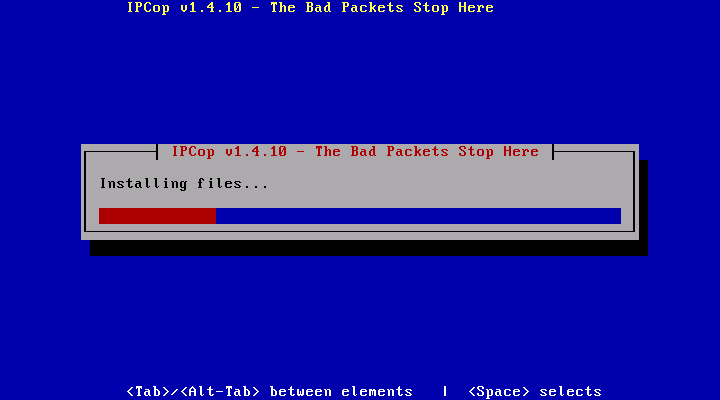
After finished downloading IpCOP which it's size around 42MB, I burn the ISO and try to install it, installing is in a glance, installation completed in 3 minutes by answering few questions and you are done.

Installation is fast!!!!!

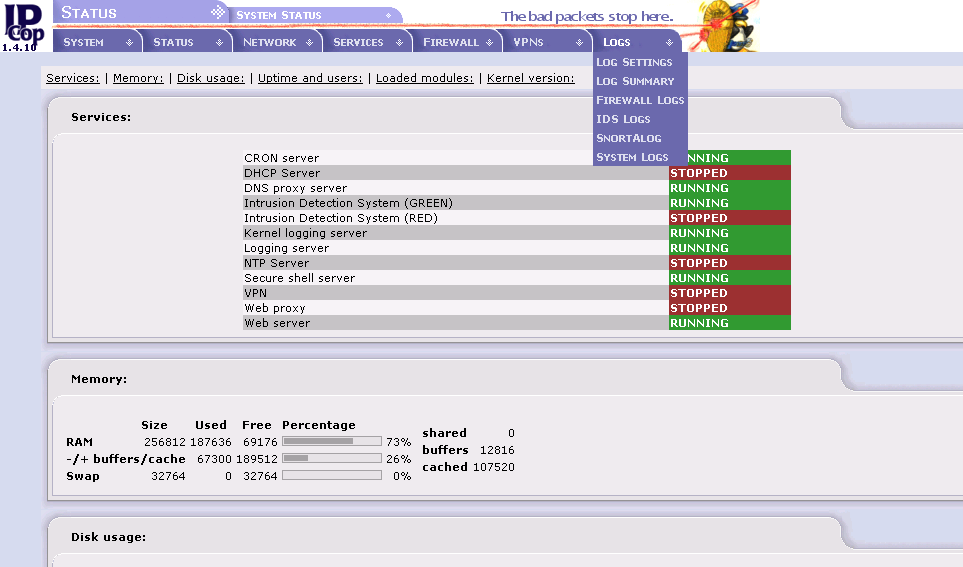
So now I have it installed, the next thing I do is login to the Web Control Panel of IpCOP to try out it's features. I like the way it organizes things where all of them in proper order and categories. The status tab has all the info of the system including the traffic graph as well. You can monitor system's activity by browsing through the tab.

System Information

Traffic Graph for the NIC .....

And since I'm more concern about the Layer 7 filtering, I found nothing much about it in the initial installation, I find out there is official extra addon modules for IpCOP here. I downloaded the L7-filter, p2pblock and qos and install thru ssh CLI. That's all I need for the IpCOP to enable Layer 7 filtering. Once installation done, I find Qos and P2Pblock in service tab. There I can specify what kind of Layer 7 traffic I want to filter.

Applying Layer 7 filtering on chosen NIC

P2Pblock module is real cool

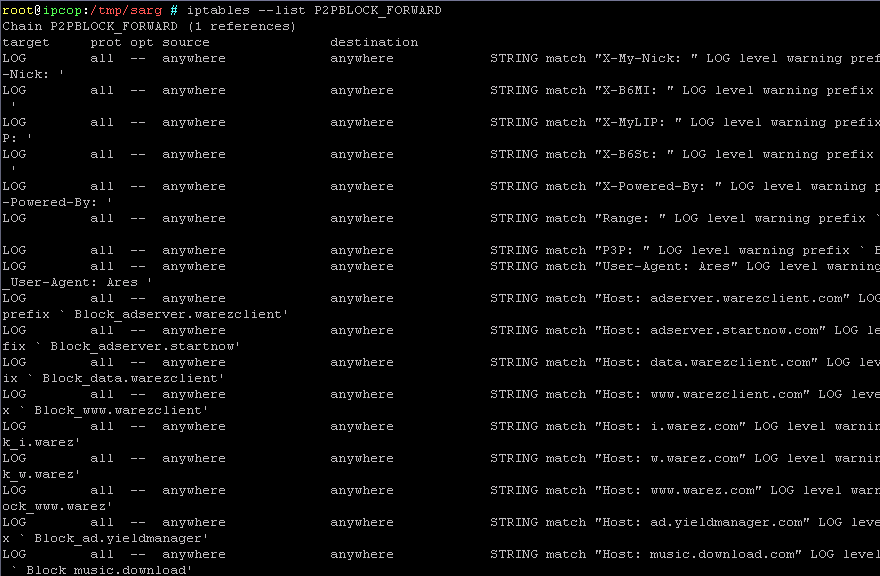
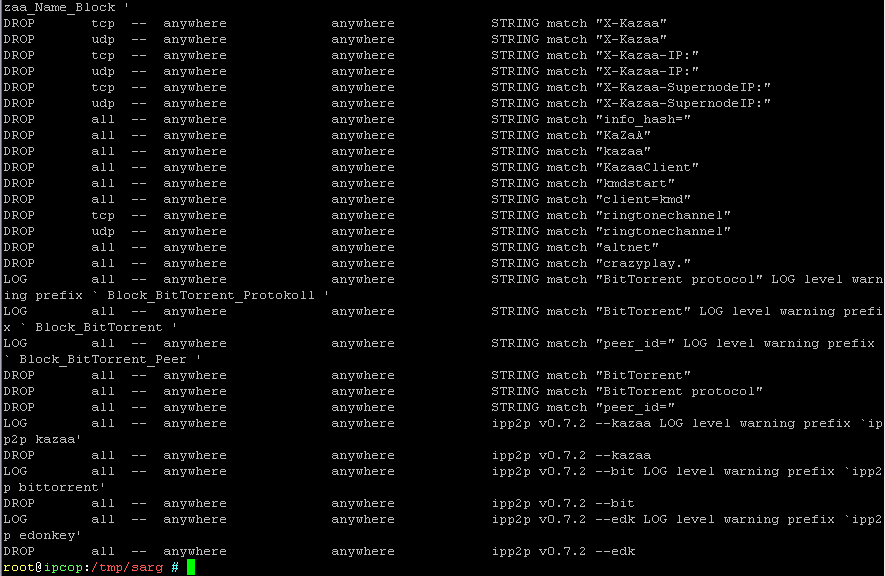
Since I'm not really sure whether it is applied properly by just clicking on the Web-Gui, I'm more to CLI kind of person, then I try to run IPtables command to check out to see if it applies correctly.

shell>iptables -L P2PBLOCK_FORWARD -v

Below is the output of iptables P2PBLOCK_FORWARD chain.


Not only it offers layer 7 filtering capabilities, I downloaded IDScontrol module and install it, then I have Intrusion Detection on my IpCOP directly, the best part is I can download and update snort rules with just few clicks. Snortalog module is available too however I don't show it here.

IDScontrol for IpCOP, the snort rule management interface

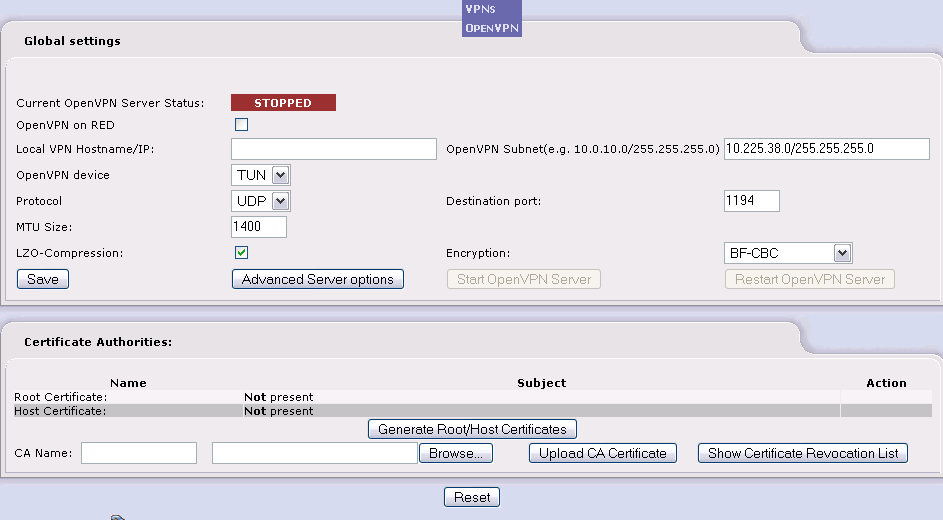
Then if anyone interest in OpenVPN, there's unofficial module that available here, OpenVPN is always my first choice of VPN solution and I'm glad it works on IpCOP.

OpenVPN Configuration Interface

I have not much complaints about IpCOP, the way they putting it all together is well maintainned and I do wish this project continuously growing to be one of the best Enteprise Rate Firewall even though I know they are now.

Have fun with IpCOP - The Bad Packets Stop HERE!!!!!

Tuesday, February 28, 2006

Nifty File Manager

I just found this nifty curse base file manager that is available in OpenBSD port/package - Ytree. Ytree is very lightweight file manager, however it has all the features that supposed available in the file manager, I don't think it suits everyone's need because most people prefer a gui file manager, but you should check out this one. Ytree allows you to browsing the directory tree, copy, remove or rename files whenever you want, it also shows the file size and disk space info on the right pane, one of the reason I like it is that I can just run it when I ssh remotely to the terminal or the servers without X, many will say they can just use ls but once you get yourself handy with ytree especially when you comfortable with it's key command, you can navigate all the files easily with Ytree. The other thing is that you can even execute the command directly while you are still browsing your file manager and get back to your file manager once you have finished the execution, the argument of the command can be changed on the fly as well.

The only con I found would be the problem where I can't navigate to the the previous parent directory, what I mean is that if I start running Ytree at /usr, I only can browse through all the file unders /usr and can't go to / or /home and etc, so I have to start running Ytree at / which is the root of the system that allows me to navigate all the files.

Browsing the files in the directory...

Running scapy directly in ytree

Have fun :]

Another useful FreeBSD resources

If you are learning FreeBSD system, or you feel like learning it, here's another good learning resource for people out there - The Complete FreeBSD that written by Greg Lehey. The book is about 700 pages and containing lots of tips, even it's a little outdated and that's where Greg encourages people to contrib by publishing it on internet freely, however it's still worth to spend sometimes reading it.

The book is under Creative Common License now, feel free to download and reading it.

Cheers :)

Sunday, February 26, 2006

Tcpdump - Samurai Slicing

It happens when you have logged full network content data with tcpdump, where you have very big size pcap file such as 2GB or maybe 10GB, and you try to load it to the ethereal so that you can analyze but ends up your ethereal hangs, I think most people won't have enough RAM for that kind of situation, there we need to slice the pcap file to pieces so that we can work with ethereal or other analyzing tools, there's third party tool like tcpslice. However here I just want to use tcpdump and here's how I do it.

I log the traffic at first, after that I just terminate it after a while and it's size is around 2GB.

shell>tcpdump -qeXX -tttt -s 1550 -n -w /tmp/trace_exploit

shell>cd /tmp

shell>ls -la trace_exploit
-rwxrwxrwx 1 root root 1888546816 Feb 26 03:18 trace_exploit*

shell>file trace_exploit
trace_exploit: tcpdump capture file (little-endian) - version 2.4 (Ethernet, capture length 1550)

I create the short shell script name trace_seq.sh below and put it to /usr/local/bin to ease the creation of blank trace files for tcpdump to write with full permission. You will get an permission denied error if you don't create the blank trace files manually. Here's the shell script(works with bash and ksh),

#!/bin/ksh

# Create the directory to store the trace file.

echo "Which directory you want to store the trace file?"
read directory

mkdir $directory

# Create file with the sequence of number behind it.

for (( i = 1; i <= 10; i++ ))
do
touch $directory/trace_$i
chmod 777 $directory/trace_$i
done

Now run the shell script to create a directory that we want to store the blank trace files with the sequence number. Don't forget to chmod +x the shell script :)

shell>trace_seq.sh
Which directory you want to store the trace file?
/tmp/pcap_trace

Run tcpdump with -C 200 which will cut pcap file size down to 200MB and then write to the blank trace file, it starts counting at 2, that's why we specify the first file tcpdump writes to is trace_1, then once it reaches 200MB, it will write to trace_2 and follow in sequence. Once finished, you will see all the files in 200MB size except the last part which is less than 200MB, we will have trace_1 till trace_10.

shell>tcpdump -C 200 -r /tmp/trace_exploit -w /tmp/pcap_trace/trace_1

shell>ls -la /tmp/pcap_trace/
drwxr-xr-x 2 root root 4096 Feb 26 10:24 ./
drwx--x--x 10 root root 4096 Feb 26 09:20 ../
-rwxrwxrwx 1 root root 200001144 Feb 26 09:37 trace_1*
-rwxrwxrwx 1 root root 88539409 Feb 26 09:39 trace_10*
-rwxrwxrwx 1 root root 200001464 Feb 26 09:37 trace_2*
-rwxrwxrwx 1 root root 200000902 Feb 26 09:37 trace_3*
-rwxrwxrwx 1 root root 200001074 Feb 26 09:38 trace_4*
-rwxrwxrwx 1 root root 200000305 Feb 26 09:38 trace_5*
-rwxrwxrwx 1 root root 200000258 Feb 26 09:38 trace_6*
-rwxrwxrwx 1 root root 200000939 Feb 26 09:38 trace_7*
-rwxrwxrwx 1 root root 200000153 Feb 26 09:38 trace_8*
-rwxrwxrwx 1 root root 200001220 Feb 26 09:38 trace_9*
-rwxrwxrwx 1 root root 1888546816 Feb 26 03:18 trace_exploit*

By now you should be able to load the smaller size of pcap file to your ethereal, remember to tweak the shell script to fit your need especially how many trace files expected to be created based on the total pcap file size.

Cheers (:])

p/s: In my blog, command executaion in shell always in bold and config file or shell script content always in italic.

Thursday, February 23, 2006

dfd-keeper - Dynamic Firewall Daemon

Just noticed in the PF mailing list that mentioning about dfd-keeper - the dynamic firewall daemon for PF that ease the administrations of OpenBSD PF, wondefully it is written in python languagage. I won't talk about what you can or can't do with dfd-keeper since it's already mentionned here, I will rather showing quick installation of dfd-keeper which is not clear in it's INSTALL doc. Assuming you are running OpenBSD Current just like me.

Instaling needed OpenBSD package

shell>pkg_add ${PKG_PATH}zope-2.8.4.tgz

shell>pkg_add ${PKG_PATH}py-xml-0.7.1.tgz

shell>pkg_add ${PKG_PATH bzip2-1.0.3.tgz


Installing ZopeInterface

shell>cd /usr/local/src

shell>ftp http://www.zope.org/Products/ZopeInterface/3.0.1final/ZopeInterface-3.0.1.tgz

shell>tar xvzf ZopeInterface-3.0.1.tgz

shell>python ./setup.py build

shell>python ./setup.py install


Installing TwistedCore

shell>cd /usr/local/src

shell>ftp http://tmrc.mit.edu/mirror/twisted/Twisted/2.2/TwistedSumo-2006-02-12.tar.bz2

shell>bzip2 -d TwistedSumo-2006-02-12.tar.bz2

shell>tar xvf TwistedSumo-2006-02-12.tar

shell>cd TwistedSumo-2006-02-12/Twisted-2.2.0

shell>python ./setup.py install


Installing dfd_keeper

shell>ftp http://lightconsulting.com/~travis/dfd/dfd_keeper/dfd_keeper.tar.gz

hell>tar xvzf dfd_keeper.tar.gz

shell>cd dfd_keeper

shell>python ./setup.py install


Now you can test it by running

shell>./keeper_example.py --test

shell>nc localhost 8007

dfd_keeper>

To know what commands are available, just type show

dfd_keeper>show

Currently dfd_keeper is not supporting remote login since it only binds to localhost, it will only allow remote login once Travis(dfd_keeper coder) get ACL done in the future. By now you should be able to play with dfd-keeper.

Enjoy (:])

OliveBSD reviewed

Finally I finished downloading OliveBSD, the download link that provided is extremely slow, bet there are many people out there downloading it simultaneously.

I quickly burn the iso and load it to my machine, it loads properly without issue and automagically I can connect to internet without any configurations since it uses dhclient to get the dynamic IP and I have dhcp server in the LAN, however you can setup network configuration properly by clicking the Network Card Configuration in the application menu, Gabriel has done this part nicely by writing his own net config script that ease user's experience. The window menu is well done with all the applications that needed to run daily tasks such as firefox, thunderbird, xchat and etc. Previously I have reader saying that firefox slow to load but it seems not happening to me where firefox loads within seconds in my testing. Other applications also loads properly without problem for me. Overall OliveBSD is totally perfect for new users who want to know what is offered by OpenBSD, and I find nothing much differences either using OliveBSD and other Linux distro that targets desktop users, the only thing is that you won't find OpenOffice in OliveBSD since it's not in the OpenBSD port. The file manager that used by OliveBSD is Rox-Filer, there you can easily change background and browsing files.

Overall I give a thumbs up to this liveCD, not because it's based on OpenBSD but it really does what it does. Thumbs up goes to Gabriel, you have done a good job.


Cheers :]

Tuesday, February 21, 2006

OpenBSD strace - Ktrace

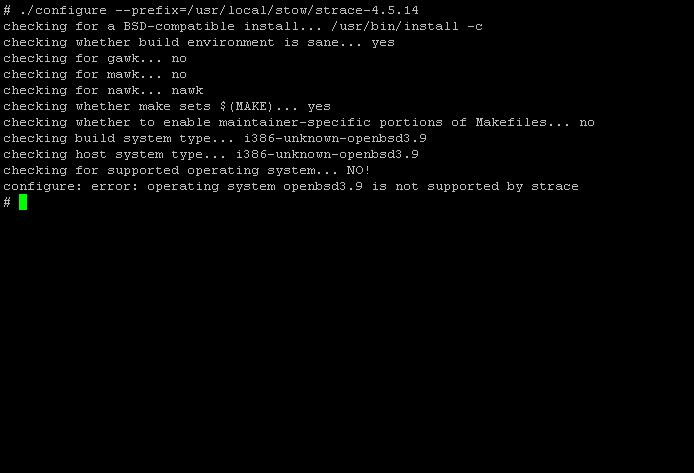
I have just successfully installed prelude-IDS, I'm happy as I can get it installed on OpenBSD without much hassles, however it turns me down when I tried to register the sensor to the prelude central management server. It seems that it has a bug where when I try to register the sensor, the server end is listenning at ipv6 space, so registration failed all the time. I quickly login to irc.freenode.net #prelude channel to look for help. The lead developer of prelude-IDS, Yoann, is a very nice and helpful person, I quickly run gdb to locate the bugs to report and he fixed out and sending patch to me, he has also asked me to submit the bug report using strace if it;s not fixed after applying the patch. The patch fixes the bugs perfectl. However since I feel adventurious, I'm thinking of installing strace on my OpenBSD box, however when I try to install it, I get an error where OpenBSD is not a supported OS.


Then Yoann told me to use ktrace which is similar to strace but it is native tool of OpenBSD, however to use ktrace properly, you have to use kdump to read ktrace's output. From the man page, ktrace enables kernel trace logging for the specified processes, and it is used to trace system calls, IO, and etc for process. In order to perform ktrace, I just take libstatgrab monitoring tool - saidar as an example.

shell>ktrace -f /var/log/ktrace.out -tc saidar

Read it using kdump

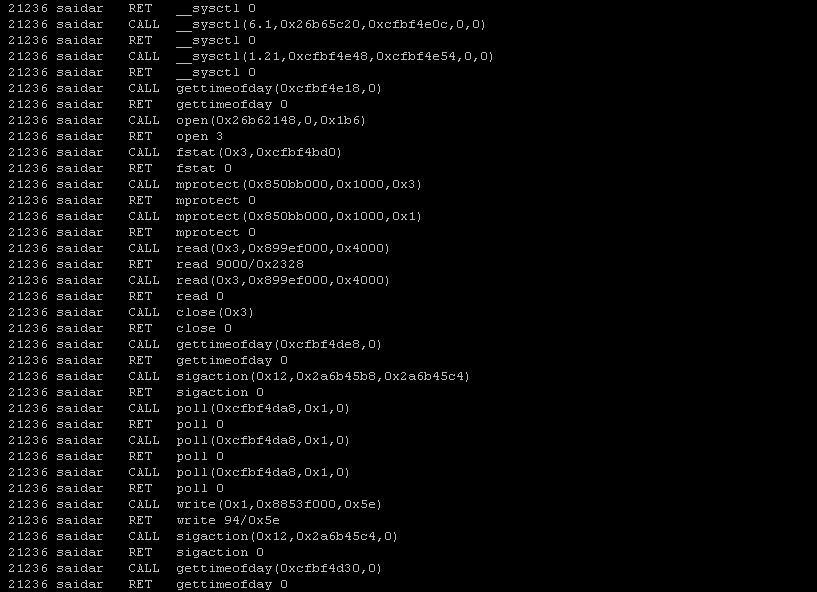
shell>kdump -f /var/log/ktrace.out

Below is the output of kdumping saidar, it looks similar to the strace output.


You can also trace the process that already running by it's pid,

shell>ps auxww | grep saidar
root 12410 0.0 0.5 608 1288 p2 S+ 11:44PM 0:00.09 saidar

shell>ktrace -f /var/log/saidar_trace.out -p 12410

You can read saidar_trace.out using kdump later. You can also specify what you want to trace with -t option, which you can choose which trace point you want such as I/O, system calls, signal processing and etc. If you just want to watch the system call, you can just run

shell>ktrace -f /var/log/saidar_syscall.out -t c

With ktrace and kdump, we can enjoy strace alike tool :]

Monday, February 20, 2006

OpenBSD LiveCD - Olive

I read about this OpenBSD live CD at undeadly.org - Olive, since the download link seems not working for me, I haven't have chance to try it out yet, hopefully it will provides mirror sites so that more people can download and give it a try, it's always rare to have live CD that based on OpenBSD and Gabriel Paderni has really done a good job on it, enjoy !!!!! :)

Have fun .....