Monday, September 11, 2006

TCPdstat Graphing & P0f 2 New Release

Just have some interesting read on graphing network statistic using tcpdstat. I think sometimes visualization helps in traffics analysis. Check it out @

http://ilopez.com/?postid=166

By the way for people who hasn't noticed, P0f-2.0.8 is out, the tool is re-written and better now however one have to relearn P0f signatures writing since it is completely different now. Check out all the interesting features here -

http://lcamtuf.coredump.cx/p0f/README


Cheers :]

Friday, September 08, 2006

! Computer

Having sticking with computer too much, I come to realize I need sports. Apparently it is not healthy to sit in front of computers without experience other activities. Today I decide to do swimming, and yes I decide to do it maybe twice a week because it is refreshing me, especially now I'm kind of braindead. Sport is helping, especially when you are stucked with computer too much.

By the way I may buy basketball as well, been a while I haven't played basketball and I need the sound - sop!

Let's kick ass without computing, cheers!!!!!

Thursday, September 07, 2006

OpenBSD 4.0 BPF

I read this in OpenBSD Current(4.0) Daily changelog .....

- Allow bpf(4) to ignore packets based on their direction.

I tag this down so that I will test it out when OpenBSD 4.0 is ready. Sound like a feature to analyzt.

Cheers :]

Friday, September 01, 2006

The Art Of Network Stegno Detection

Dealing with network covert channel, it would be seriously hard to detect by using purely signature based detection methodologies, you will come to realize that when you can't fingerprint it, you'll have to characterize it. What I mean by characterize is "To be a distinctive trait or mark of; distinguish"(definition from thefreedictionary.com). To be even clear about how it can be done, think behavioural and statistical analysis. I'm coming to this conclusion when I have almost finished reading the papers in the link below -

http://www.gray-world.net/papers.shtml

I most properly agree that covert channel detection can occur by luck when you are monitoring large network. But in small and medium network, you will have higher chance of detecting covert channel if you are implemeting the following -

- Tighten Network Access Control

- Client & Server Services Profiling

- Network Traffic Profiling

Most of the covert channels will try to act as normal legitimate traffics, or it will be more of protocol over protocol tunneling. It doesn't break the protocol, however it will introduce different behaviour in the protocol, the most obvious will be long and continuatious traffic of http, odd sequence numbers usage and so forth. Keep in mind that the attribute of protocol fields may change and the connection states as well.

Tightening network access control can prevent network noise, we are not using network access control to block against covert channel(as you can never block this type of stealthy connections that looks like legitimate one). Client service profiling is defined as what kind of services are allowed to be used by client such as http, https, pop3 and all(outgoing). Server service profiling should be the services that are accessible to the world(incoming). Depends on your network environment, services profiling is a must to identify covert channel because the covert channel will mostly carry over the legitimate services(as I said it bypasses network access control). The network traffic profiling will be the protocol break down and each protocol usages, this is mostly done by using flow/session data collectors, it will generate the statistic of the network flows that allowing you to identify the weird connections by protocols, this is the lead to analysis of covert channels.

There's a little tool to demonstrate statistical covert channel detection which is called tcpstatflow written by fryxar, you can download it here -

http://www.geocities.com/fryxar/

While I don't get it to compiled on FreeBSD, I have luck with Ubuntu. Here's what I have done

geek00l@hell:~/Desktop/Covert-Tools$ cd tcpstatflow/
geek00l@hell:~/Desktop/Covert-Tools/tcpstatflow$ make
geek00l@hell:~/Desktop/Covert-Tools/tcpstatflow$ ls
datalink.c datalink.o flow.c flow.o main.c main.o Makefile README tcpflow.h tcpip.c tcpip.o tcpstatflow util.c util.o
geek00l@hell:~/Desktop/Covert-Tools/tcpstatflow$ ./tcpstatflow
./tcpstatflow[29633]: no suitable device found
geek00l@hell:~/Desktop/Covert-Tools/tcpstatflow$ ./tcpstatflow -h
./tcpstatflow version 1.1 by Fryxar (thanks Jeremy Elson!)

usage: ./tcpstatflow [-hpvD] [-d debug_level] [-f tcptimeout]
[-i iface] [-t statistics_time] [-x bytes_threshold]
[-y time_threshold] [-z packets_threshold] [expression]

-d: debug level; default is 1
-D: start as daemon (log to syslog)
-h: print this help message
-i: network interface to listen
(type "ifconfig -a" for a list of interfaces)
-f: TCP timeout in seconds; default is 7200
-p: don't use promiscuous mode
-v: verbose operation equivalent to -d 10
-t: statistics time; default is 3600, use 0 to disable
-x: cummulative bytes in both senses threshold to report an alarm; default is 50000
-y: duration (in seconds) threshold to report an alarm; default is 86400
-z: cummulative packets in both senses threshold to report an alarm; default is 1000000
expression: tcpdump-like filtering expression

Running my own simple but fast ssh sock proxy channel(Dynamic port forwarding)

geek00l@hell:~/Desktop/Covert-Tools/hcovert-0.5$ ssh -ND 5555 root@1.2.3.4 -p 2222

On the other hand, I also run corkscrew which allowing tunneling ssh through http proxy that I have setup at 1.2.3.4 port 8080. You can install corkscrew by using apt-get on Ubuntu and pkg_add on FreeBSD.

Now I have run the sock proxy and ssh over http proxy, I also connect my browser and other applications to use the sock proxy as well as scp through the http proxy.

Here's the result of my tcpstatflow,

geek00l@hell:~/Desktop/Covert-Tools/tcpstatflow$ sudo ./tcpstatflow -i eth0
Password:
./tcpstatflow[29651]: listening on eth0
Potencial tunnel = 10.0.0.10:2302->1.2.3.4:2222: packets rx=1860 tx=1135, bytes rx=1808079 tx=50182, seconds=234
Stats= mallocs: 9, cleans: 8, reuses: 0, flows: 1, Packets: 4219 drops: 707 (16%)
Potencial tunnel = 10.0.0.10:2496->1.2.3.4:8080: packets rx=3425 tx=4741, bytes rx=50023 tx=5204157, seconds=228

That's pretty neat, but I'm running tcpstatflow in default mode, you can tweak the threshold when coming to detect different kind of covert channels, while you may think that icmp covert channel can bypass this tool, it may be true since this is only for tcp connection, but I believe that icmp covert channel can be restricted with your network access control(Only allow icmp ping echo and reply) and the detection of icmp covert channel can be done via its bytes transfer per flow easily when you have your flow collector in place.

You may check out one of sguil aliance - Victorj, using his mysql-fu, to detect icmp tunnel via Sguil

http://www.inliniac.net/blog/?p=24

http://www.inliniac.net/blog/?p=27

I have mentioned that monitoring large network can be very headache for covert channel detection, but guess what? Try ourmon!

Now you know why NSM emphasizes on statistical data as well!!!!!

Enjoy (:])

Wednesday, August 30, 2006

Ubuntu - Where is my traceroute?

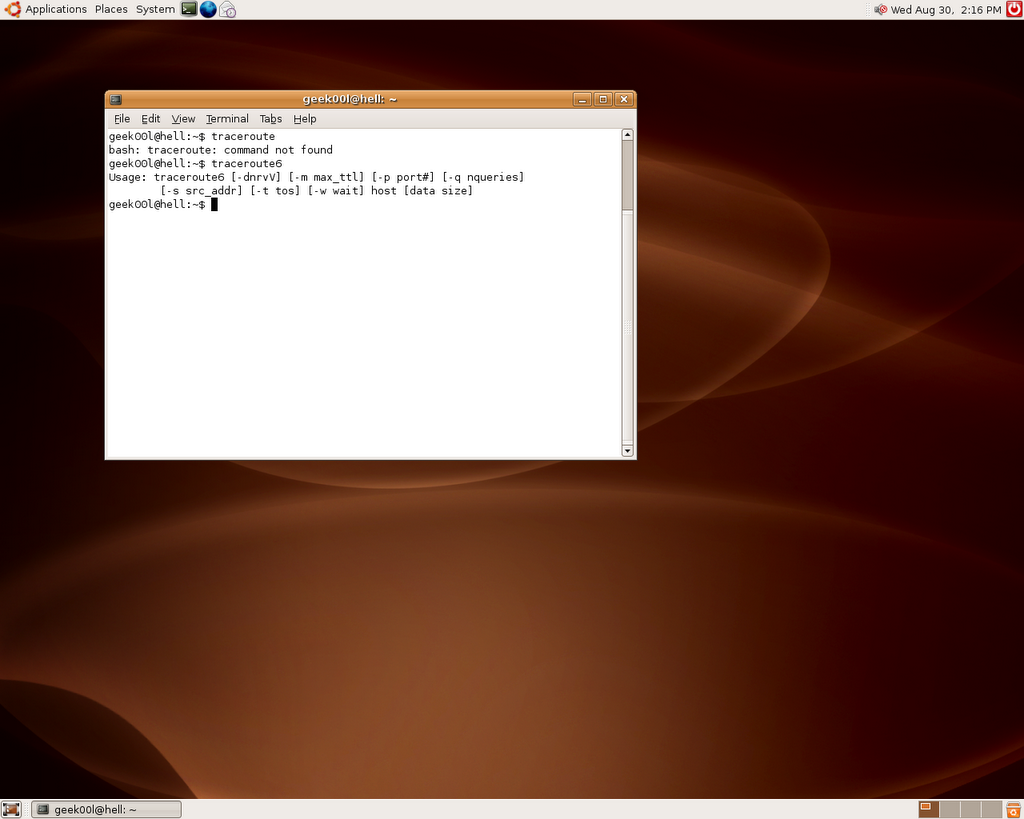
I have the internet problem where I need to figure out, while my laptop is busy on something else, I was thinking of using my ubuntu box that I just upgraded to Dapper Drake to trace the network issue. I may need to clarify that while I had been long time user of ubuntu linux, I'm a serious noob on it where I only used it for movie and music(Entertainment Desktop). Let's see what I can do when I need to traceroute -

Command not found? I hope my typo is wrong but this is not the case, after talking to some folks, they told me that Ubuntu is meant for Desktop users where it doesn't need network debugging tools. Okay fine, let's notice what I have executed in the screenshot - traceroute6

Oh yeah, desktop users surely know how to configure IPv6, or else why traceroute6 is included while traceroute is not there. Now I even wondering what it is like when coming to user friendly(Even windows users know how to use tracert).

Ubuntu, another lovely linux desktop, sigh!

Peace :]

Monday, August 28, 2006

Internet Freedom: Unleashed

Interesting read though ->

http://zensur.freerk.com/

My shortest post (:p)

~Enjoy~

Sunday, August 27, 2006

Proxy - Your Guardian

Proxy can serve as double edged sword, while it can mask one's track by hopping through multiple proxies(stepping stone), it can be a very effective defensive|preventive perimeter. Most of people know the infamous Squid, which can run as either transparent proxy or reverse proxy. Squid definitely is a powerful tool, however sometimes we would like to have alternative, here are the other good alternatives -

- Apache(Forward & Reverse Proxy)

- Pound(Reverse Proxy)

- Delegate(Application Proxy)

I'm looking at pound and delegate, thanks to Chflags who recommends me to take a look at it. Delegate seems to be very interesting when comes to proxying application protocol as well, and it has whole lot of features that I need to try.

While network security monitoring requires visibilities of network, pound can be used as ssl terminator, decrypting the ssl connection and send it back to the backend web server.

Other nifty proxy application that can be used will be Privoxy, privoxy can be used to mangle the traffics, hence it can used to protect your browser bug. While reverse proxy serve as server side protection layer by applying sanitizer and filtering, transparent proxy will be more of protection layer for client side. It may sound like security through obscurity, but it is the fastest way to defense against outbreak period since applying filtering rules in proxy can be done in short time.

On the other hand, remember proxy is fast - with caching enabled.

Cheers :]

Saturday, August 26, 2006

Nice Kit - Overload

While I was in Kuala Lumpur last week, I have bought a laptop backpack. While looking for targus backpack, I found High Sierra. Thanks to Mel for bringing me to the shop located at Curve. It is worth the time and price that I have paid to look for the backpack that I would like to carry everywhere, here's the description and look of the backpack,

http://www.highsierrasport.com/ItemDetail.jsp?itemNum=54602

I have black one which matches my laptop color. It has name - Overload !!!!! Remind me of StartCraft.

Side note: Since I don't want to write another blog post, lazy me just include this url as linux/bsd laptop installation guide especially for IBM thinkpad. Thanks to gutizz for good reference.

http://tuxmobil.org/ibm.html


Enjoy :]

Friday, August 25, 2006

FreeBSD TightVNC

For the HITB2006 training, since Wireshark(Ethereal), netdude and some others tools need demonstration, I'm considering of letting users to access to FreeBSD VMware image remotely, while ssh is a shiny choice for CLI, I think most prolly access is needed for GUI applications as well, I remember I used to use VNC on windows and digging in the FreeBSD port, I found tightvnc. Installing tightvnc is in a glance, just pkg_add will do. After installation done, you may find vnc related application under /usr/X11R6/bin,

shell>ls -la vnc*
-r-xr-xr-x 1 root wheel 3948 Mar 17 05:49 vncconnect
-r-xr-xr-x 1 root wheel 12284 Mar 17 05:49 vncpasswd
-r-xr-xr-x 1 root wheel 15226 Mar 17 05:29 vncserver
-r-xr-xr-x 1 root wheel 81476 Mar 17 05:49 vncviewer

You will run the vncserver at the first time, and it will ask you to assign remote access password, then it will ask to assign for view only password. Once assigning the password, you can start running vnc server by execute

shell>vncserver

I have the problem at the first time and I figure out it searches for ~/.Xresources, hence I just create a blank file called .Xresources will do. To run vncserver with geometry,

shell>vncserver -geometry 1024x768

shell>ps auxww | grep vnc
root 1239 0.0 12.1 12228 10848 p1 I 10:10AM 0:35.05 Xvnc :4 -desktop X -httpd /usr/X11R6/share/tightvnc/classes -auth /root/.Xauthority -geometry 1024x768 -depth 24 -rfbwait 120000 -rfbauth /root/.vnc/passwd -rfbport 5904

shell>netstat -an | grep 5904
tcp4 0 0 *.5904 *.* LISTEN

We have verified that vnc server has launched on port 5904 successfully. Now we can just run the vnc client from the other host. Since my vnc server runs on 192.168.0.6, I just need to run

shell>vncconnect 192.168.0.6::5904

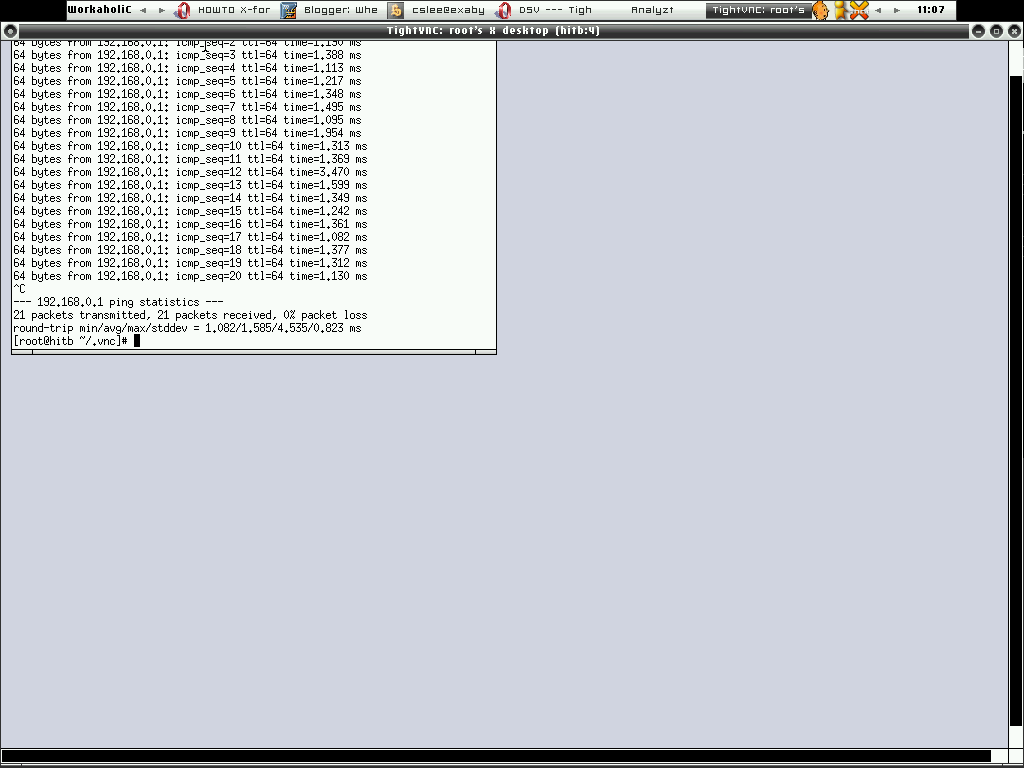
After type in the password, there it goes ----->

However the traffics between the vnc server and client is not encrypted, hence I'm thinking of getting it to work with ssh tunnel. As usual I used to read man page before anything, and I found -via gateway option in tightvnc. Maybe that's what I need, just run

[root@trinity ~]# vncviewer -via 192.168.0.6 192.168.0.6::5904
Password:
VNC server supports protocol version 3.3 (viewer 3.3)
Password:
VNC authentication succeeded
Desktop name "root's X desktop (hitb:4)"
Connected to VNC server, using protocol version 3.3
VNC server default format:
32 bits per pixel.
Least significant byte first in each pixel.
True colour: max red 255 green 255 blue 255, shift red 16 green 8 blue 0
Using default colormap which is TrueColor. Pixel format:
16 bits per pixel.
Least significant byte first in each pixel.
True colour: max red 31 green 63 blue 31, shift red 11 green 5 blue 0
Tunneling active: preferring tight encoding

That's cool, I would seriously agree that tightvnc is nifty tool to setup secure remote access especially when there's a need to grant access for GUI.

Cheers :)

Does .gov.my take security as concern?

We have Mycert, Gcert and all kind of Certs, that for sure indicating Malaysia Boleh! However I would like to ask again - Does Malaysia Government takes Internetwork Security as its one of primary concern?

I don't have to mention any, but after working in network security field for quite sometimes, I figure out our Government generally not taking this virtual world for real.

- Government Internetwork is considered decentralised, they are not actually fully managed and monitored. Outsourcing is seriously bad idea for the network that contains critical data, unless you find a promising and respectable vendor.

- This is a joke, while I found it amusing, however hackers found it as easy target. There are many .gov.my sites are built upon Content Management System. It is fine to deploy CMS but without proper patching and update management, it can be a total screw up.

- No strong policy enforcement - Yes, you can install anything on your laptop and bring it to work even you are working for .gov.my, on the other hand, you can't count how many rookits & viruses reside in .gov.my network happily.

- No human education - Inpersonating is good way to gain access to .gov.my, it works all the while since no one is educated about cyber threats even for those who working closely with .gov.my.

- Faulty implementation & deployment - No DMZ, no network screening and strong network control. What can I say about this? If you don't build defensible network, blame yourself for intrusions and extrusions.

I'm not representing any party, while I'm not ranting(I don't think I'm), I'm just trying to figure out and criticize on what I see as unnecessary. Pointing out the weakness can lead to correctness. I'm not who working for government, however I'm just here pointing out all the risks that we have encountered.

While our country is on the way to establish Multimedia Super Corridor(MSC), surprisingly Security is not putting into main concern. Do they need to re-think about it?

Electronic Government, I hope this is not a joke.

Peace :]

Sunday, August 20, 2006

Network Security Monitoring - The Big Screen

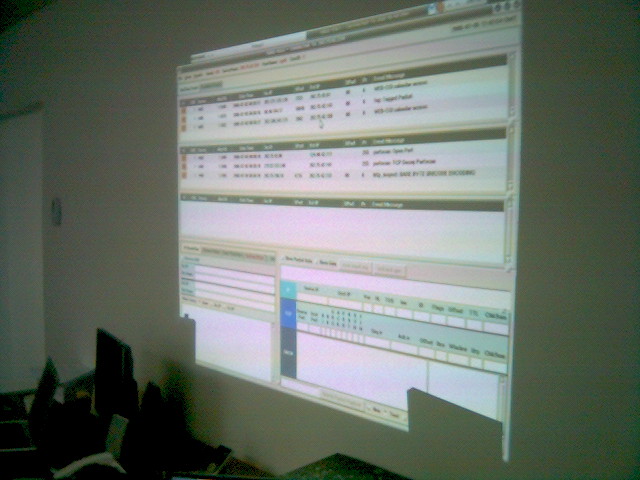
Yes, I know you would love to monitor the network security with eyes wide open!!!!!

~Sguil In Action~

Enjoy :]

Saturday, August 19, 2006

Network Security Toolkits

Got Sguil?

NST - One of the interesting LiveCD that contains fruitful Open Source Network Security Applications finally got Sguil, while I consider this is late coming but I'm still glad to see it in. You can check out the details here -

http://nst.sourceforge.net/nst/docs/scripts/nstsguil.html

Sguil becomes more and more popular these days, Network Security Monitoring is what we need!!!!!

Enjoy :)

HITB 2006 Training


Just in case you don't notice, me and mel will be conducting a workshop - Structured Network Threat Analysis & Forensic @ HackInTheBoxConf 2006. You can check out the detail here -

http://conference.hackinthebox.org/hitbsecconf2006kl/?page_id=89

If you are interested in mastering packet analysis, especially with Open Source Tools. We will demonstrate how you can detect and understand different level of network attacks - From fingerprinting phase to serious intrusions. Don't miss it!

Cheers :]

P/S: I'm very busy lately and having no time to blog much, stay tuned!

Friday, August 11, 2006

Create BPF device

Sometimes you need more than one bpf interface to run your network monitoring application, especially if you are using creative IDS like Bro-IDS and snort or some other tools such as trafshow and so forth, thus you need to have multiple bpf interfaces, while you may run into problem where bpf interface not exists or permission denied, you can create the bpf interface manually before running those kind of applications. Login as root and run -

shell>cd /dev; mknod bpf5 c 0 0

Now you will find bpf5 is created under /dev directory, changing the permission to 744 will most properly lead you to run the network monitoring application successfully without problem.

By the way this is applied to FreeBSD and OpenBSD.

Peace :]

Thursday, August 10, 2006

OpenBSD Application Port/Package Tracking

While using FreeBSD, I used to look for new packages/ports by refering to www.freshports.org, that makes life whole lot more easier to track the applications I'm using and I want to use in future maybe. Now, you will have the similar thing in OpenBSD, check out -

http://ports.openbsd.nu/

I think many people may find it useful, it would be better to add the new ports request and status as well. But I see this as very good kickstart for port tracking and maybe it can be improved from time to time. Thanks to OpenBSD.nu in cooperation with NetBSD.se to create OpenBSD packages/ports frontend.

Cheers :)

Monday, August 07, 2006

Testing Firewall Rules

And yet you are using PF and want to test your firewall rules remotely but afraid of locking yourself out of box, you can actually do this. Create a pf config file name /etc/pf-open.conf, and with the open all rulesets,

pass all

Then you have the PF configuration file calls /etc/pf-server.conf that you want to test which having heavy filter rules, now to test it. Run

shell>pfctl -f /etc/pf-server.conf; sleep 90; pfctl -f /etc/pf-open.conf

The filter rules will be applied and it will change to the pass all rules over 90 seconds. With this you can relogin to the box remotely after 90 seconds in case you accidentally lock out of the box or you internet got screwed.

I found this tip from here, apparently this is very useful.

The safer way is putting the commands above into the shell script and run that script instead in case you get terminated and the terminal closed before 90 seconds causing the pfctl -f /etc/pf-open.conf not getting executed.

Enjoy :]

Sunday, August 06, 2006

Penang Open Source Community

Since there are many times I have been thinking of activating the Open Source Community in Penang State, Malaysia especially some of folks in MyOSS been asking about it as well. I would like to give it a kick, however it ain't enough with my sole efforts, I need helping hands and apparently surface is the right guy to help me out on this. If you are the guy who like to tinker with open source, or newcomers that would like to learn up one or two things about the open source thingy, feel free to send me email or ping me at freenode myoss channel. We would like to see more and more members that joining the community.

Currently we are looking for a place to organize the meetup, and apparently USM is the right place with young and energitic souls. However we also would like to see anybody who already have been using Open Source in the Industry to share thier experience or perhaps presenting topics regarding Open Source stuffs.

It's never been too late, I think with the Community based structure, we can push the OSS awareness to the next level.

Feel free to join us. Cheers :)

Tuesday, August 01, 2006

Passive Tap in Actions

Nikns has his own web page on creating passive network tap in actions. It seems interesting, however it is seriously hard to find all the kits needed to build the network tap in Malaysia. I will need to dig a bit and look around if any company selling those kits. If you have any idea where can get those kits, please do let me know.

Check it out here, Nikns rox!

http://openbsd.secure.lv/tap/

Enjoy (;])

Good Time in KL

Back from Kuala Lumpur, I might say it was good trip, having chance to stay at the infamous Paul Ooi's place, I was given a room and free internet access as well. I also enjoyed the good foods there as well. Thanks to Paul for everything and I'm glad to have friend like you.

Anyway I can't wait for the next trip to Kuala Lumpur again especially for Hack In the Box events, and I think at that moment Paul already moved to the New Place :P

Peace :]

Monday, July 31, 2006

Home Made Network Tap

Commercial Network Tap tends to be expensive, thus I'm always looking for alternative way to build my own Network Tap device. This is more suitable for home network environment since it is cheap to build. If you are interested in how to build one so that you can learn more about network traffic monitoring, check out this writing -

http://www.altsec.info/passive-network-tap.html

http://www.sun.com/bigadmin/content/submitted/passive_ethernet_tap.html

Feel free to build one!!!!!

Enjoy ;]