Friday, November 18, 2005

Packet Analysis with Scapy

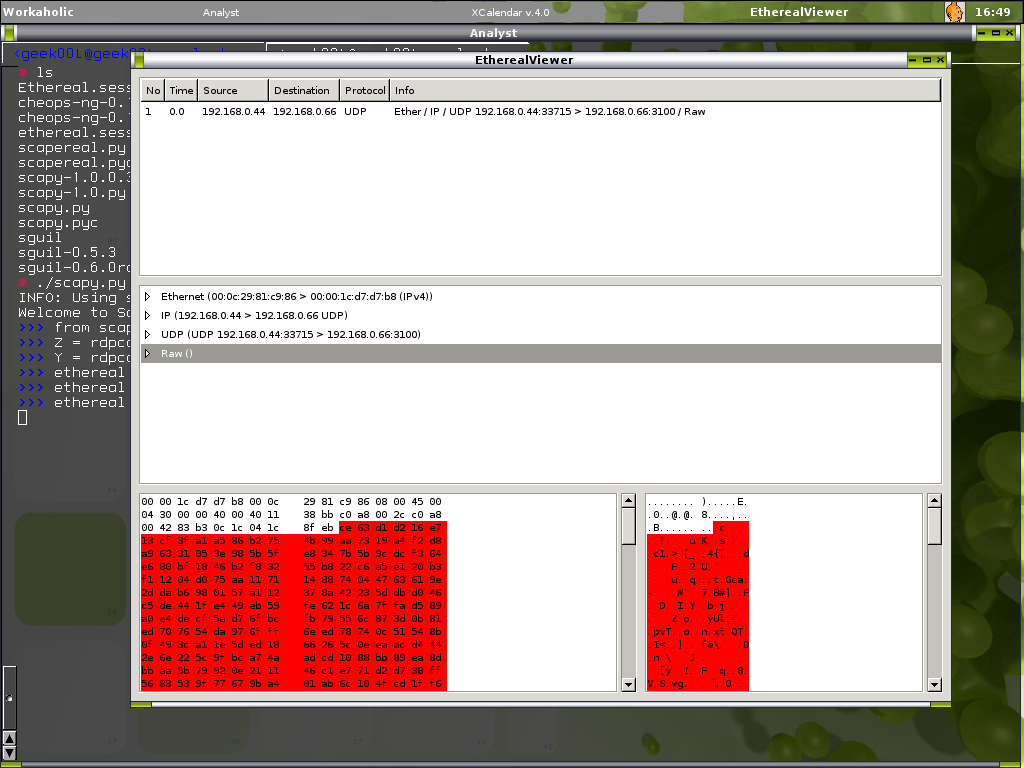
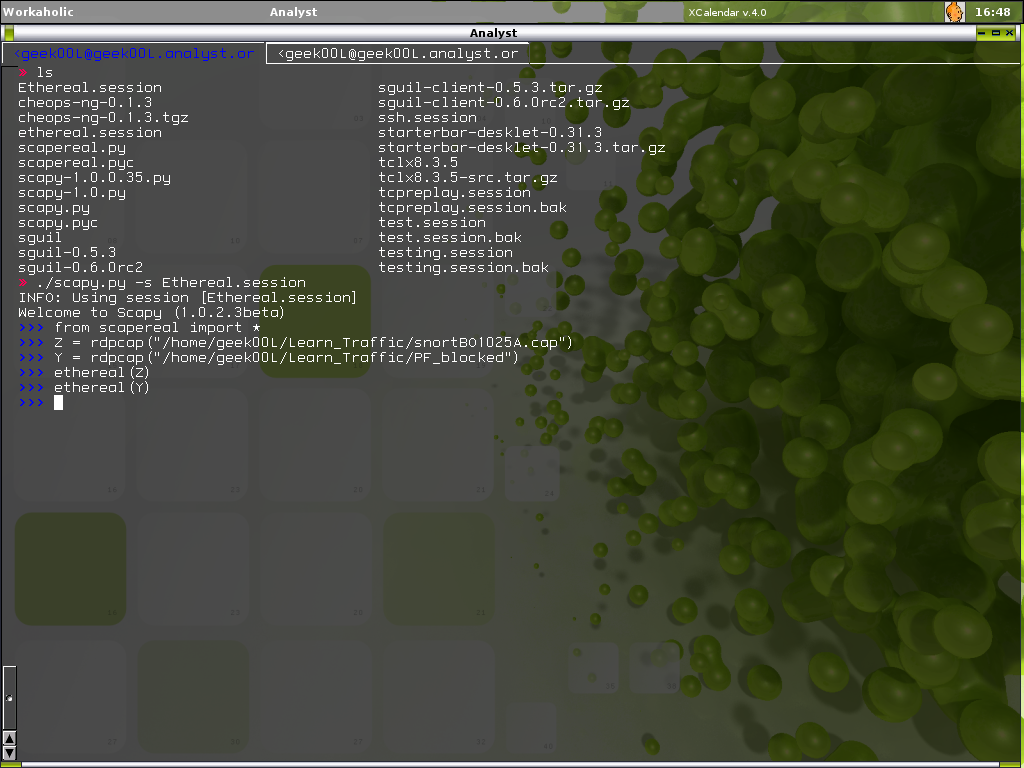
So you like ethereal, the wonderful tool for network analyst. This is good new especially for OpenBSD user who no longer has ethereal in their ports/packages build. Download the Scapereal from this url and put it into the same directory as scapy.py, yet you need py-gtk to have it work properly. Thanks to Pierre for this. Below in the screenshots you will see how I import Scapereal which allow you to analyze packets via Ethereal-alike interface.

After importing Scapereal, you will be able to call ethereal().
Highlighting is sweet!
Nice huh ... ..

I have succesfully run scapy in OpenBSD as well and might be going to blog about Scapy Installation on both FreeBSD and OpenBSD in very close time. I'm still having little issue with FreeBSD Scapy build and will resolve it as soon as possible.

Special thanks to Guillaume Valadon for pointing me out the issue and workaround on FreeBSD Scapy build.

Thursday, November 17, 2005

Replaying Traffic With Scapy

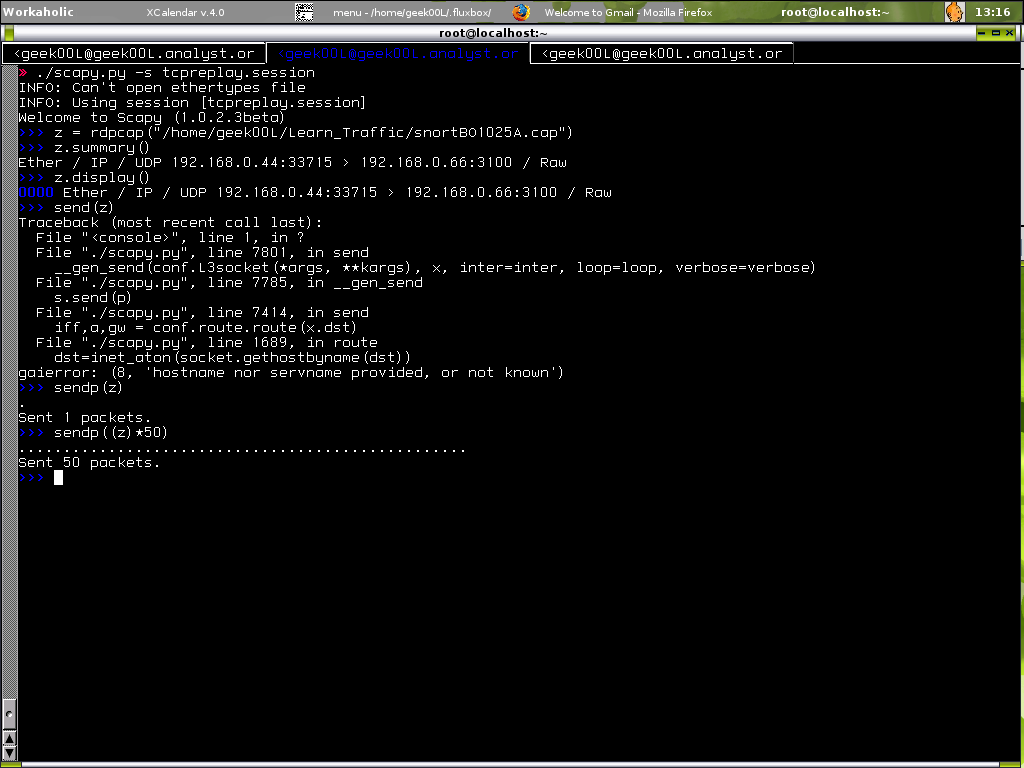
While I have mentionned how powerful Scapy is, hereby a little demo of how you can use Scapy to work like Tcpreplay. I will show more and more little trick when I have time to explore Scapy and mastering python enough (:])
You can see I get an error while I try to send packet first time, send is used for sending packet at layer 3 which is not working since I'm in the LAN, though I send via sendp which is used to send packet at layer 2 and it works.

rdpcap is a function that used to read pcap file, while you can manipulate the pcap file, of course you can replay the network traffic with it.

Monday, November 14, 2005

Scapy = Master Once, Do It All Kung Fu

I have been mentionning quite a lot of times about scapy in my blog. Thanks to Philippe BIONDI, father of scapy and the rest of oss folks that help.

What is scapy anyway?
Scapy is a powerful interactive packet manipulation program that written in python. It allows you to do almost everything including packet forging, decoding, engineering, tracing, network mapping and etc. This is the only tool that deal with human limitation instead of program limitation. Why human limitation? It is because lacking of knowledge in certain network protocol, you can't create a functional packet that works with it. Scapy itself supports wide range of protocols and allows you to specify any fields in the packet, and the limitation again comes to the imagination of human being.

Master Once, Do It All Kung Fu?
Indeed yes, mastering Scapy ain't easy as it requires a little python scripting knowledge, another thing is that you are taking full advantage of Scapy only if you understand tcp/ip protocol well enough. RFC is a good place to start for that or you can go quick start by reading W. Richard. Stenvens TCP/IP Illustrated series.

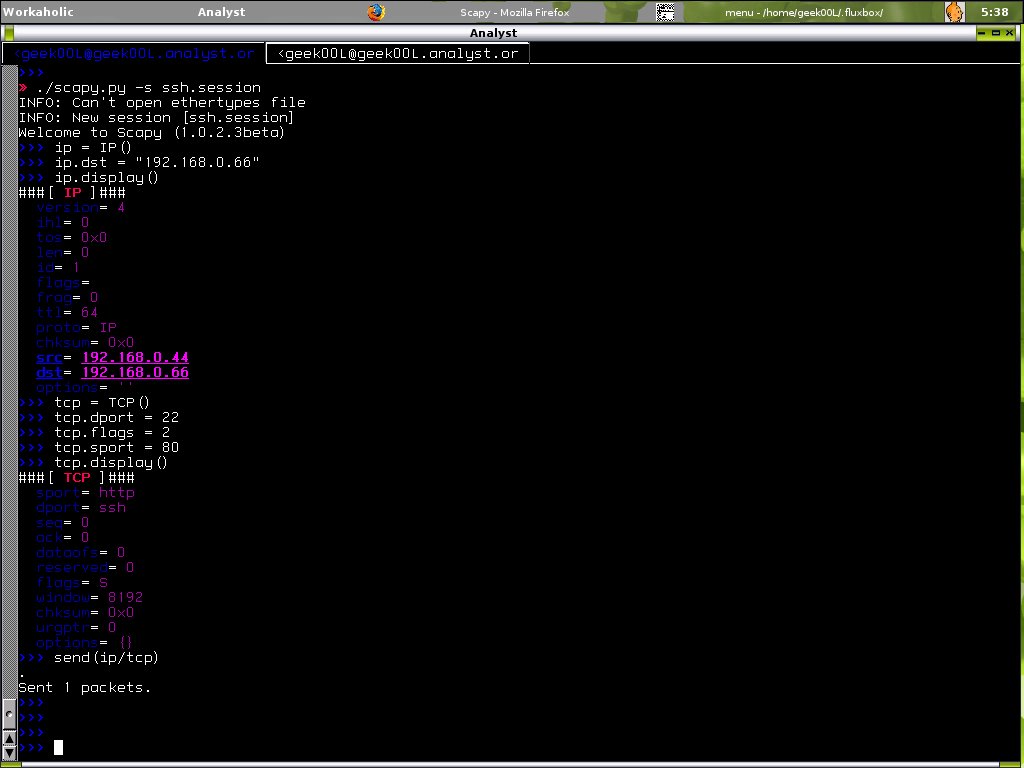
Here i will demonstrate how to construct a packet which sending to remote host 192.168.0.66 and destination port 22 with syn flag.
Scapy in Action!
This is the tcpdump output in host 192.168.0.66.

There are more you can do with scapy, check out the Scapy site as it comes with very handy tutorial on the first page.

Monkeying with Scapy Kung FU (:])

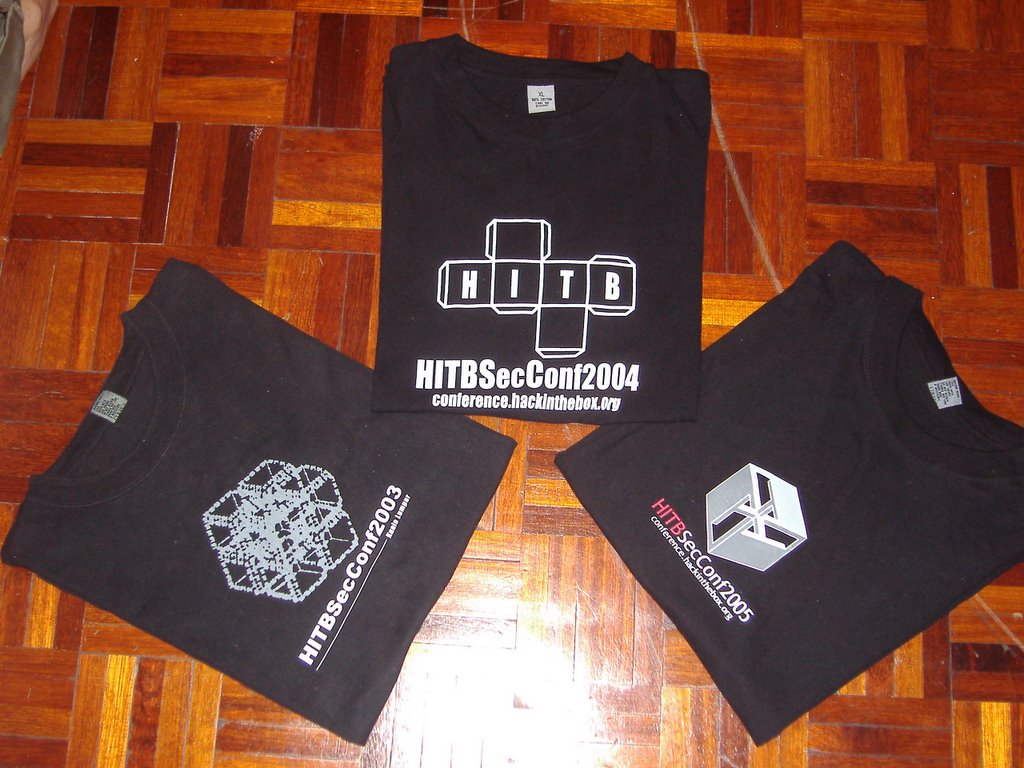
<<- HITB 2003 - 2005 T-Shirt ->>

Here are my collections of HITB t-shirt since year 2003, I still keep them nicely. Now putting them in different display views :]


I like the last shot, would prefer to s/c/X

Forget your nessus password?

I have one machine with nessus installed for a while and realizing I need to launch it for vulnerabilities checking today, I quickly run nessus client and start connecting to the nessus server daemon, oops I have forgotten the username and password since I haven't used it for around 2 months and thought I was able to remember it which in case not.

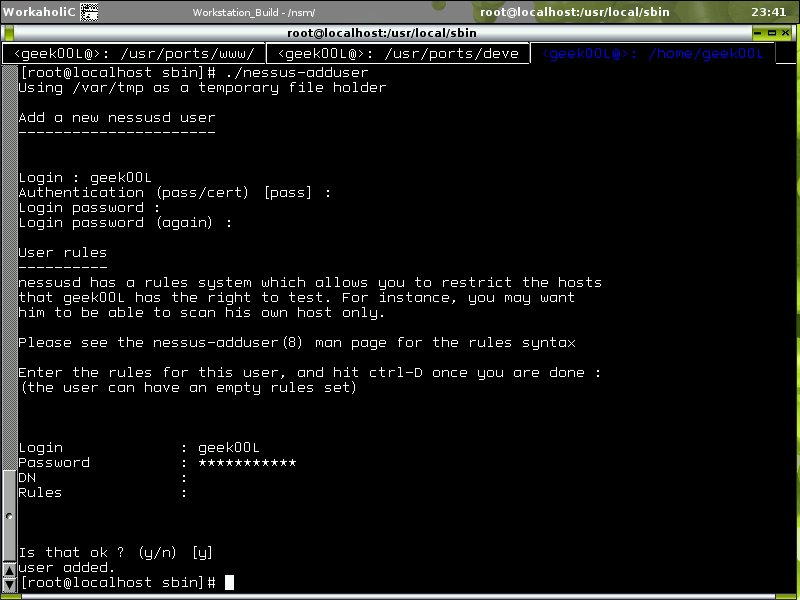
Quickly check on the nessus tools under /usr/local/sbin, I found nessus-adduser. So this should solve problem for a forgetful folk like me. Below is the screenshot for quick view.

Even though nessus goes commercial and close source, however I will still use it and plan to upgrade to version 3.0 when I have time. It is still a wonderful application that works like charm and serve it's purpose right :]

Saturday, November 12, 2005

Snort2c - Active Response Tool for PF

I have used snort2c to defend against certain threats before that and thinking that I should blog it, yet been asked by some friends in #pf, I decide to give it a ride(write).

Normally people fail to differentiate active response and true IPS system, I myself never try to compare of both, but normally active response system will fail on single packet exploit with small footprint.

Like other active response tool such as snortsam(I wish I have time to play on this), fwsnort and etc, snort2c is based on snort, hence we need to have snort running on the system. I never have hard time at all to get snort compiled from source in OpenBSD box. I will directly jump to configuration part since getting snort2c working in the system is easy too.

First creating whitelist for certain or range of IP, for example I want 192.168.0.1 to be whitelisted permanently.

shell>echo 192.168.0.1 > /nsm/whitelist

Running snort

shell>snort -i le1 -c /nsm/snort-2.4.0/rules/snort.conf -l /var/log/snort -D

Running snort2c on bootup

shell>snort2c -s -w /nsm/whitelist -a /var/log/snort/alert

With -s option, it is the best switch as it turn on init mode and create a snort2c table automatically for you with block return rules, that's why it's good to run it on boot. If you want to configure and run snort2c manually, please refer to snort2c site, just follow the instruction in the url and you are done.

Then you can run snort2c manually by,

shell>snort2c -w /nsm/whitelist -a /var/log/snort/alert

Snort2c provides a tool to monitor it's table, it is called mons2c. You can print out blocked ip, flushing snort2c table or delete the ip from snort2c table. However since I'm more used to pfctl, I can actually use the native pfctl to achieve the same thing.

To print out blocked IP and with -v it has even clean output.

shell>pfctl -t snort2c -v -T show

To delete the blocked IP, for example 192.168.0.55

shell>pfctl -t snort2c -T delete 192.168.0.55

Flushing snort2c table

shell>pfctl -t snort2c -T delete

Creating snort2c table

shell>pfctl -t snort2c -T add

Remember to tweak your snort rules properly to avoid lockout of yourself :P. I have deployed this on my OpenBSD bridge device and it works properly for me, with this transparent bridge I able to plug it in or out without changing network architecture, yet make it flexible enough for fast incident response device.

Friday, November 11, 2005

For mrxvt user ...

If you are mrxvt user, the multiple aterm, again linuxlah has published tip on mrxvt in his blog, check it out to learn the new trick and this time is on python which is my preferred scripting language.

Cheers :]

Wednesday, November 09, 2005

Interesting Talk - Banking Industry

Last night I have talked to a friend who I haven't met for last two years, she is working in banking industry. What make the conversation interesting was when she told me a lot about the incidents that happenned in that field - phishing, social engineering, and internal threats. I also kind of understand banking system through the conversation. The whole 2 and half hours conversation sounds like an interview, or maybe survey for me to get myself understand the current threat of banking industry. Or maybe I shouldn't have talked to a girl like this to attract her attention, but I'm just too fascinated with this type of real life story telling. From what we have talked, I have summarized the things below.

1. Human exploitation is much more easier to be done, compare to electronic hacks.

2. Banking system(not really computer related) is not tighten enough, there are certain way to circumvent the rules and regulations. Most bad guys can play with the rules instead of breaking the rules.

3. Human mistakes tend to happen, this give lot of chances to lead to the compromised of system.

4. Trust relationship is also one of the issue, sensitive information is not only stored in system but human being.

5. Internal threat is happenning, human control is considered hard to achieve. Blind spot is always discovered by internal people since they know how the banking system works.

Considered this is one in-sight talk regarding Banking Industry in Malaysia, if you know one or working in banking industry, please send me info or at least any threats that currently been discovered that are not published in the internet. I would like to hear from you.

This is nothing related to the topic. Just a message to my friend. It's been nice to have conversation with you, even I haven't met you for so long, the beautiful part of you is that you don't change much(I mean behaviour, mind and thinking) and wonderfully become more mature as most people change after they get out of school. Natural is what you have.

~Smart & Intelligence is what a girl need in New Age~

Tuesday, November 08, 2005

TCPtrace - Little Correction :S

From my previous post regarding tcptrace, I have mentioned it is not playing well with udp, however this is not the case, you can collect udp session data flow by using -u option, the best part is you can even selectively collect udp flow or ignoring it by specifying --oUDP and --iUDP.

Another thing I would like to point out is the add-on modules that available for tcptrace such as TRAFFIC module, HTTP module and etc. You should get your hand dirty with it because it has done very good job in one specific area and not only produce general outputs. I will demonstrate some usages of it when I have times.

Time ain't enough, should I summon another 24 hours for you?

Cheers :]

Monday, November 07, 2005

The Network Analyst Workstation Handbook

FreeBSD, the robust operating system that serves almost every purpose right, is used as my workstation for analyzing process all the while. I will start to write a handbook for Network Analyst to build a perfect workstation for their work, this is nothing big however it's what and how I use to perform my daily task including Incident Handling, Network Forensic and troubleshooting, Incident Response as well, however this handbook is not limited to those usage, you can install your workstation for your own need.

My window manager of choice will still be fluxbox, and I will explain why fluxbox suits Analyst and how to configure and tweak your fluxbox to keep your analyzing work neat and clean :).

I will keep updating the Handbook once I discovered new tools or tricks to perform the job, and it will be published in my blog first and then imported to the handbook. Of course sguil client will be included since I can't live without it.

With that you might be able to have your FreeBSD Analyst Workstation up and running in a day without googling.

No hassle, easy going and it will be released when I have all the write up completed(which will never be :P). I will include the config file as well so that you can import to your system and don't have to configure it manually.

Saturday, November 05, 2005

{Puffy} and ^RedDevil^ Released

I bet most of you already knew this, however I just blog it for my own record, OpenBSD 3.8 and FreeBSD 6.0 is now available. For people who love BSD, you can now download it via ftp mirrors, bit torrent or http sites. Enjoy and cheers again to BSD team to make it happens.

Both released in quite close period and totally meet my blog title - When Puffy meets RedDevil :-]


->Visualize Network Traffic<-

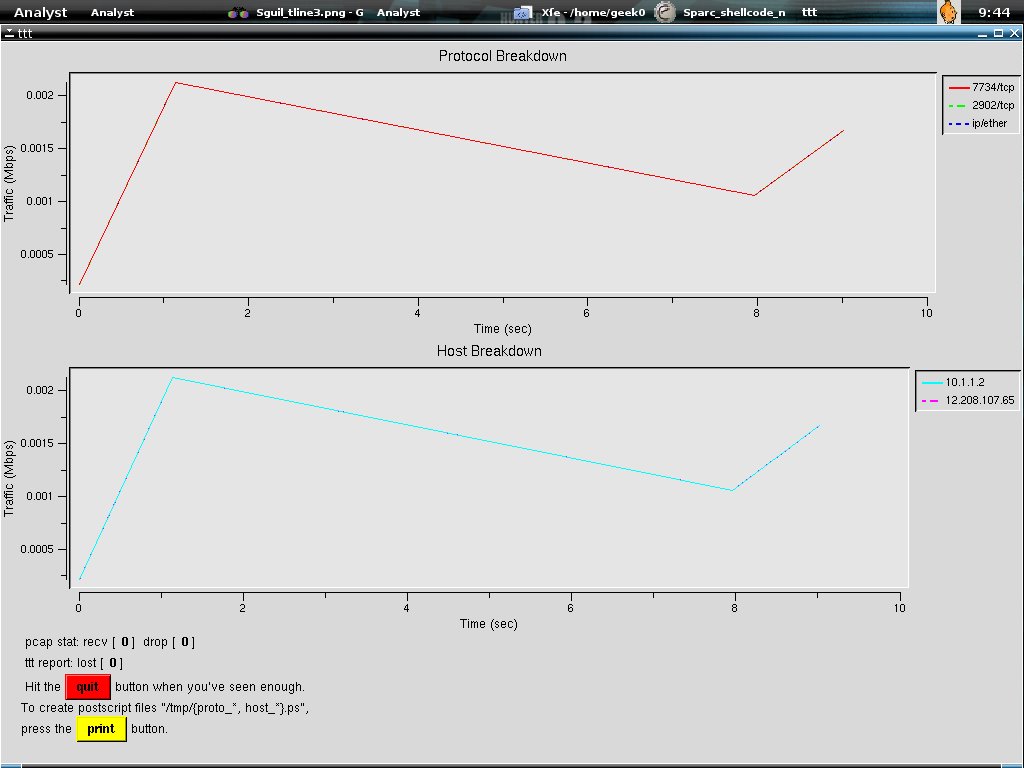
Using ttt(tele traffic tapper), tcptrace and xplot, you will be able to read network traffic in graphical view, especially ttt, it able to break up the protocols and summarizes each protocol, and showing the progress of traffic running when you load the pcap file. Tcptrace able to produce different type of output containing information on each connection seen, sounds like tcpflow right, however it also allows you to export the data to graphical output by using -G argument. The only weak point is that tcptrace can't play with udp and icmp packet. One really good thing about tcptrace is that it has very complete documentation that makes you familiar with it, hence it makes you troubleshooting network problem effectively. Xplot is the tool used to create and view useful graph for analyst, it plays well with tcpdump and if you have time, take a look at tcpdump2xplot.

Before I forget, a little new to tell, sguil-0.6.0 rc2 released, I'm happy because finally it moves to more mature stage.

Here I will show a demonstration on how to use ttt, tcptrace and xplot to load and view the intrusion traffic graphically.

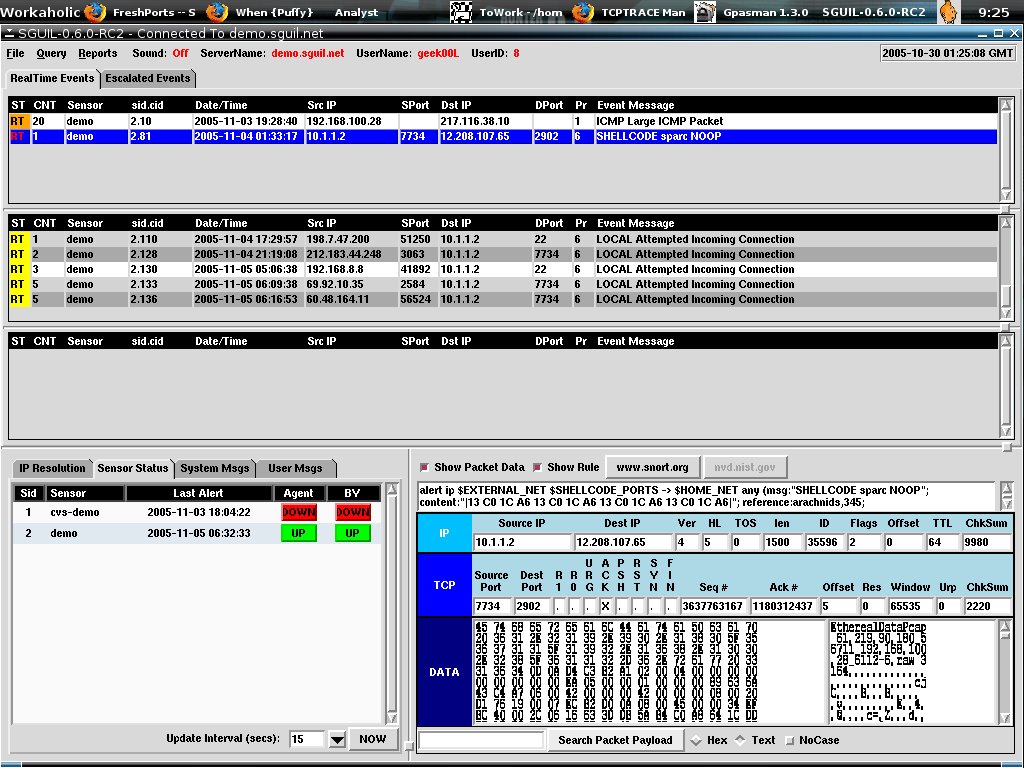
At first I log in to the Sguil Analyst Console, and check out blue color highlighted line(second line in first pane), I load it to ethereal by right clicking on it's sid.cid(2.81).
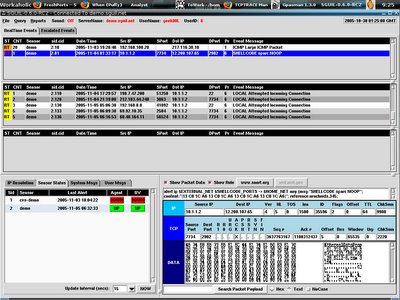
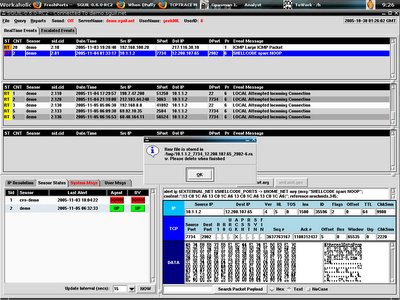
So you are downloading the raw file(pcap formatted) and load it to ethereal.
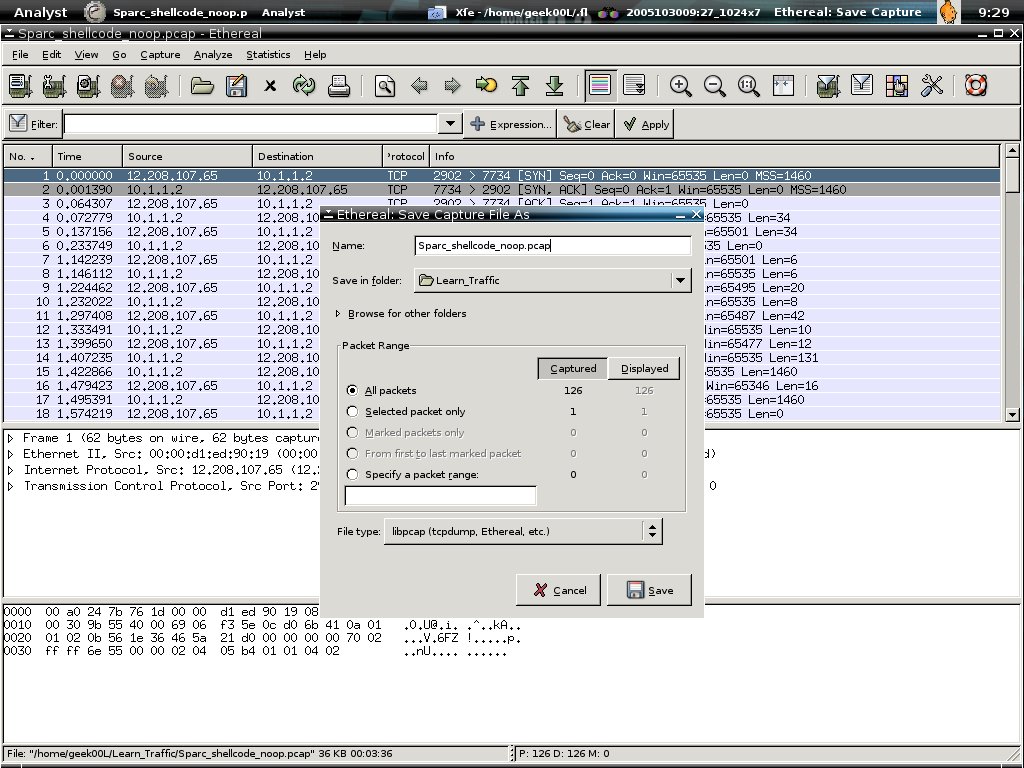
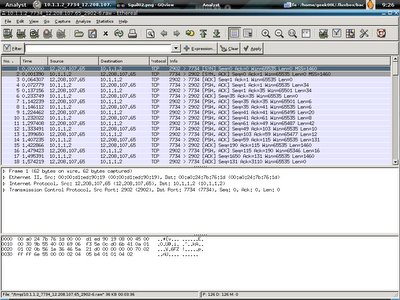
Here's how the network traffic shown in ethereal.
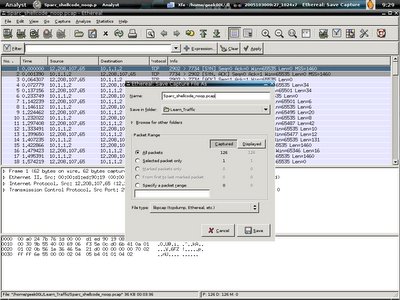
You can now either go to File->Save as-> to save the pcap file, or just shift+ctrl+s to save it, I personally save it as Sparc_shellcode_noop.pcap under /home/geek00L/Learn_traffic directory.
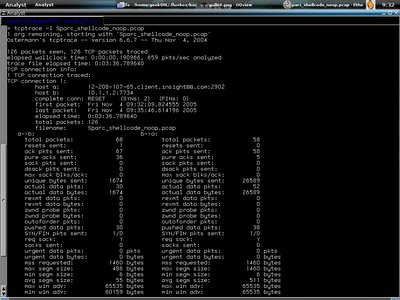
Now I start my mrxvt terminal and launch tcptrace,

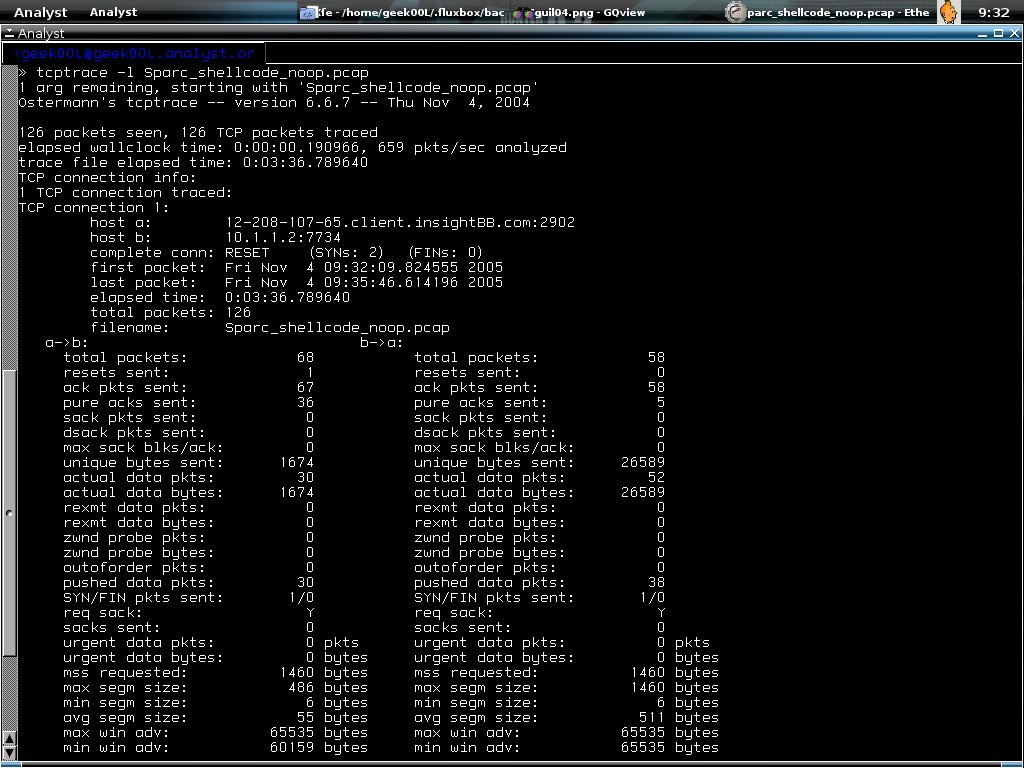
shell>tcptrace -l Sparc_shellcode_noop.pcap

The result is shown in the screenshot below, it shows all the useful information, the -l shows long output which is similar to verbose mode for other tools.
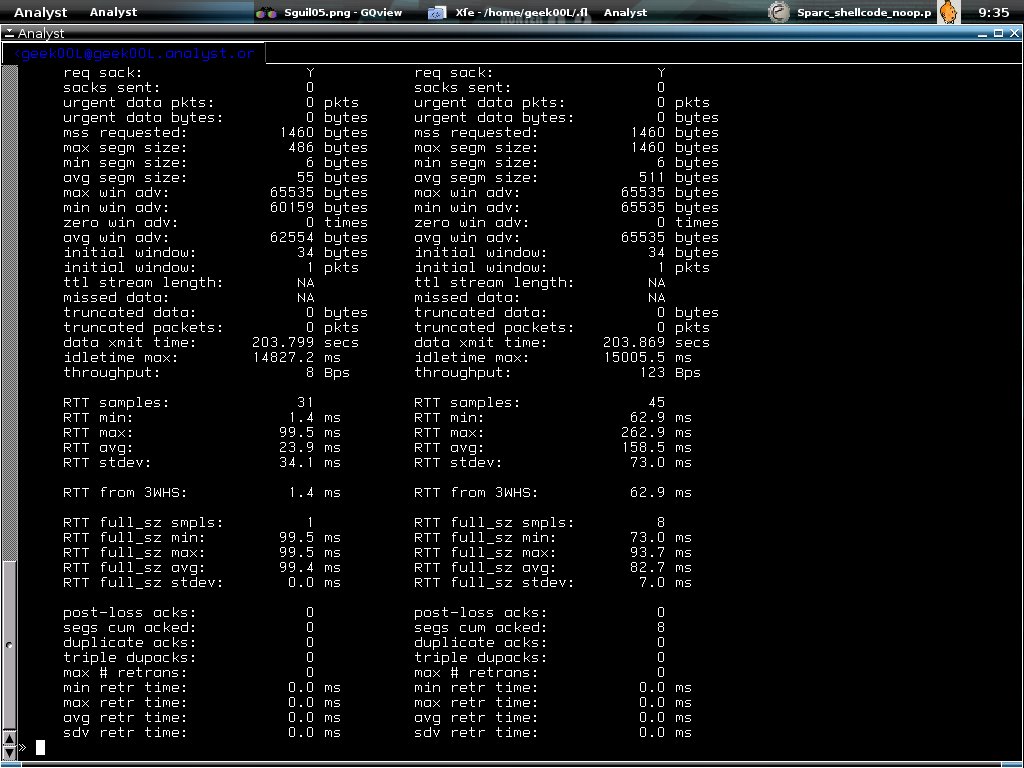
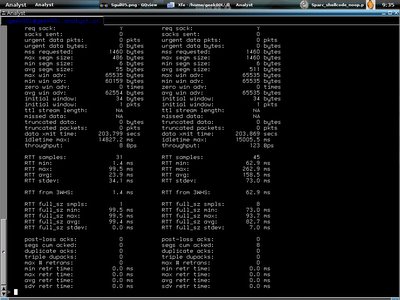
Shell>tcptrace -lr Sparc_shellcode_noop.pcap

With -r it will even summarize the round trip time information. This is good for network troubleshooting isn't it?
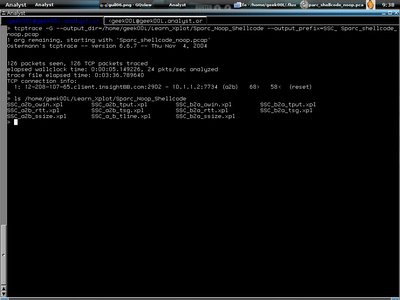
Building graphs for the pcap data is easy with tcptrace, just use the commands below,

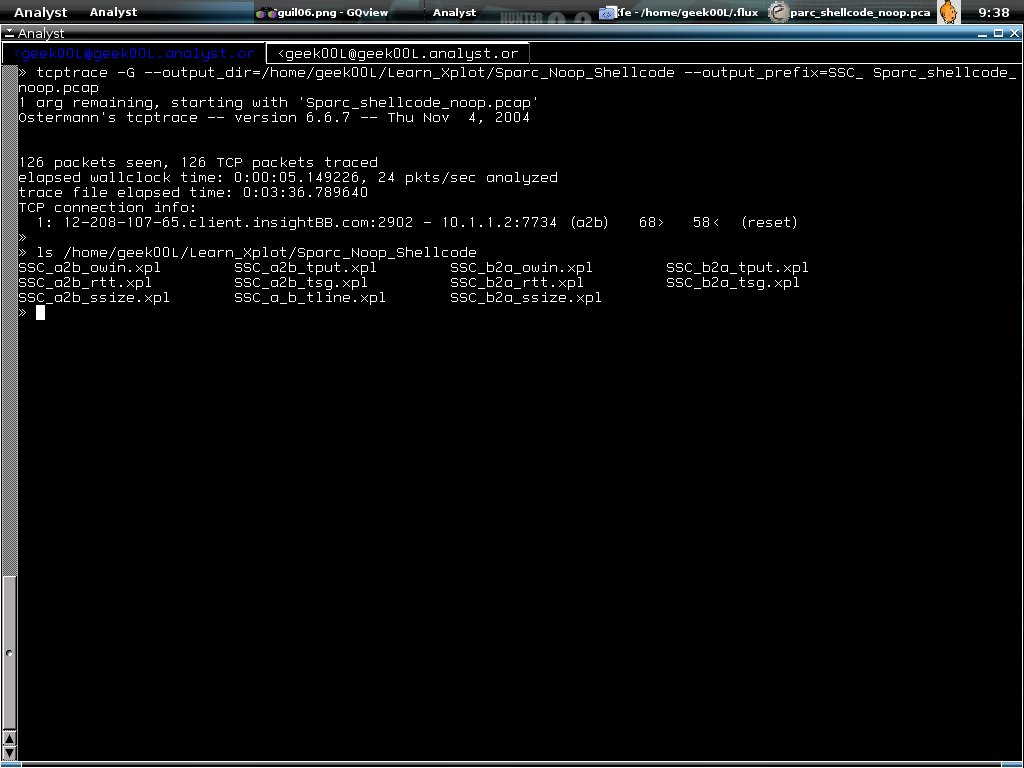
Shell>tcptrace -G --output_dir= ~/Learn_Xplot/ Sparc_Noop_Shellcode --output_prefix= SSC_ \ Sparc_shellcode_noop.pcap

A little explanation for the command line above, -G is for all type of graph building, --output_dir means to which directory it sends the output, and --output_prefix is useful because you can specify it's prefix for each output file so that we won't mix out all different traffics. The output files are all in xpl format of which you can view it using xplot.
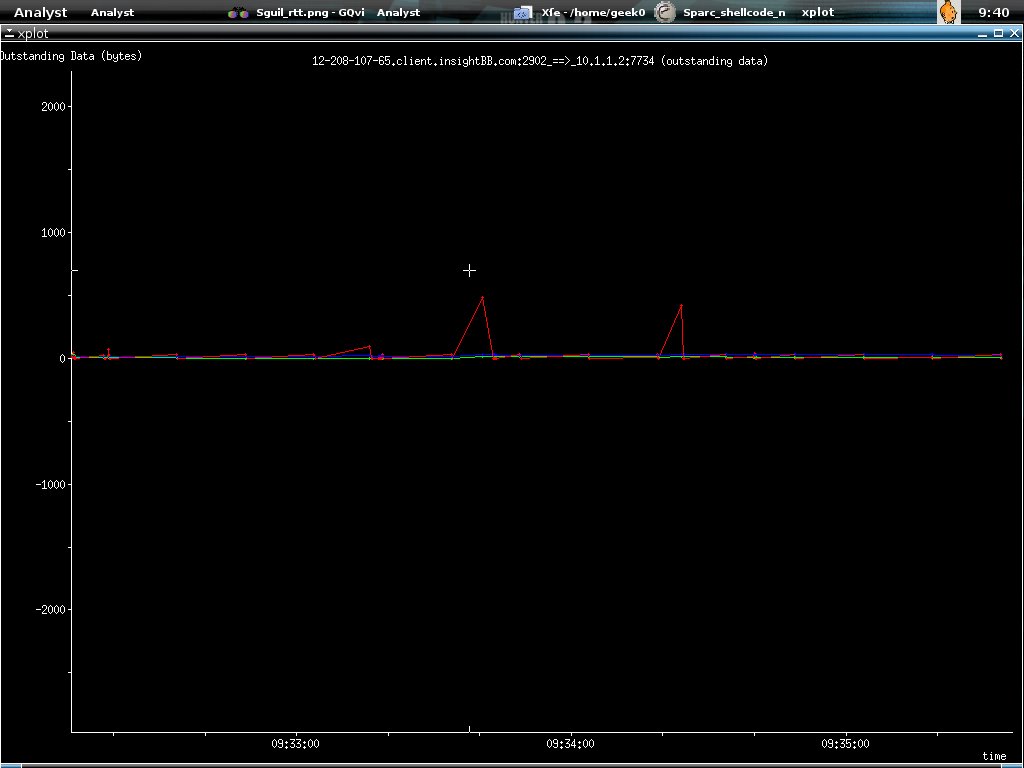
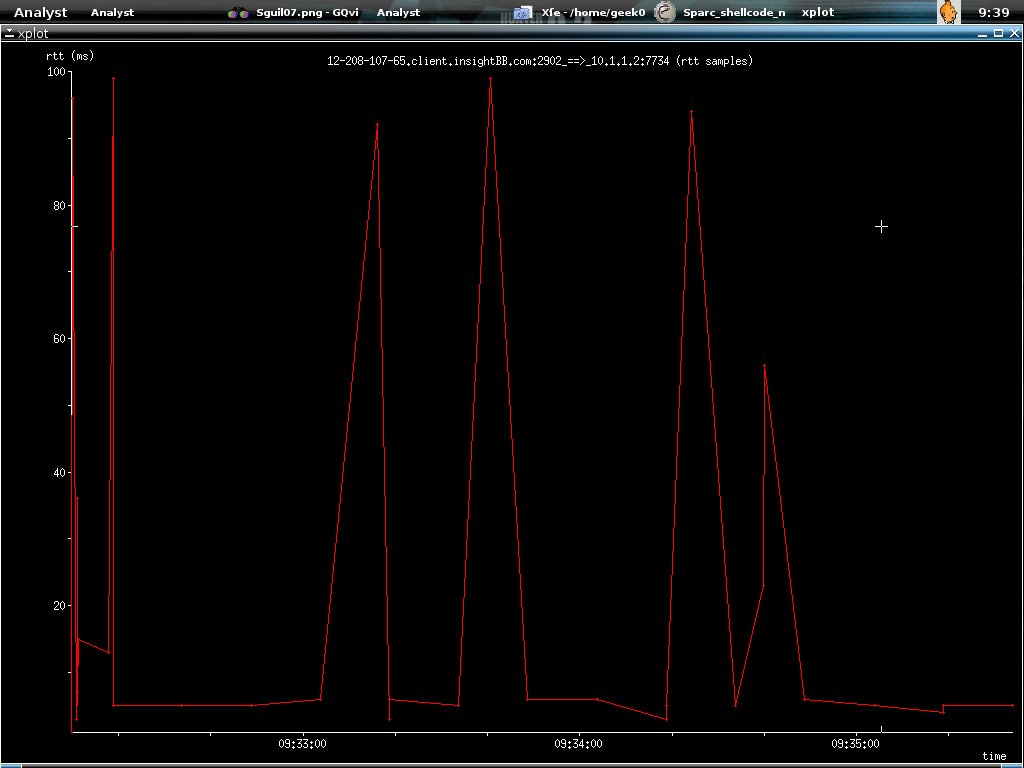
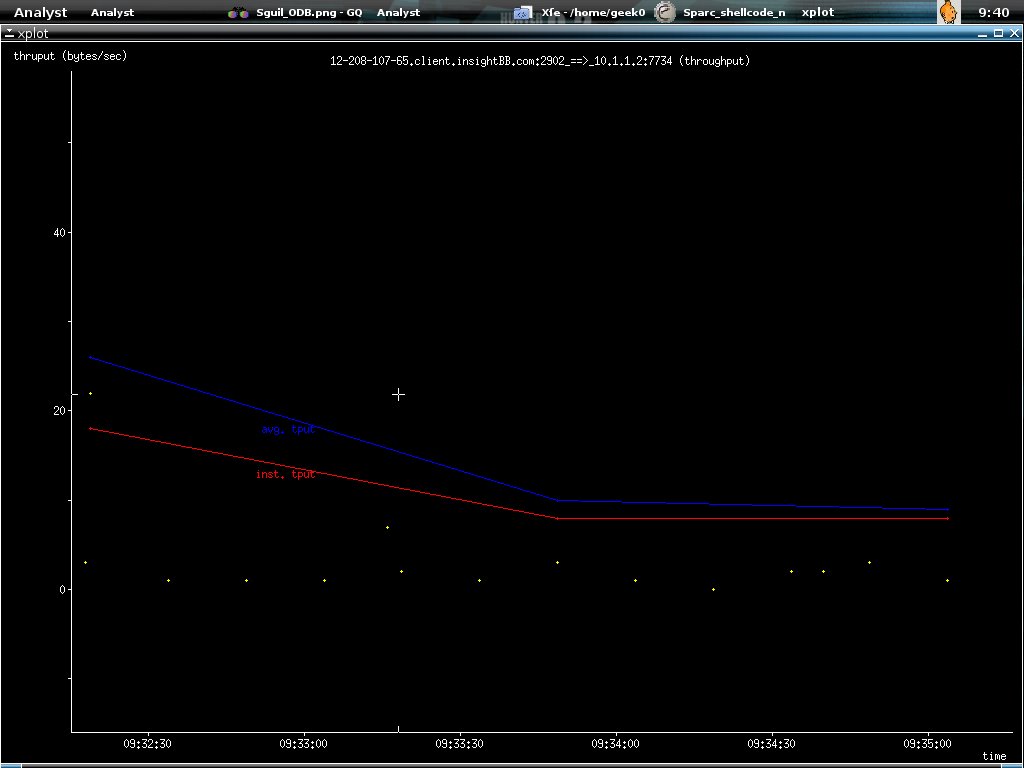
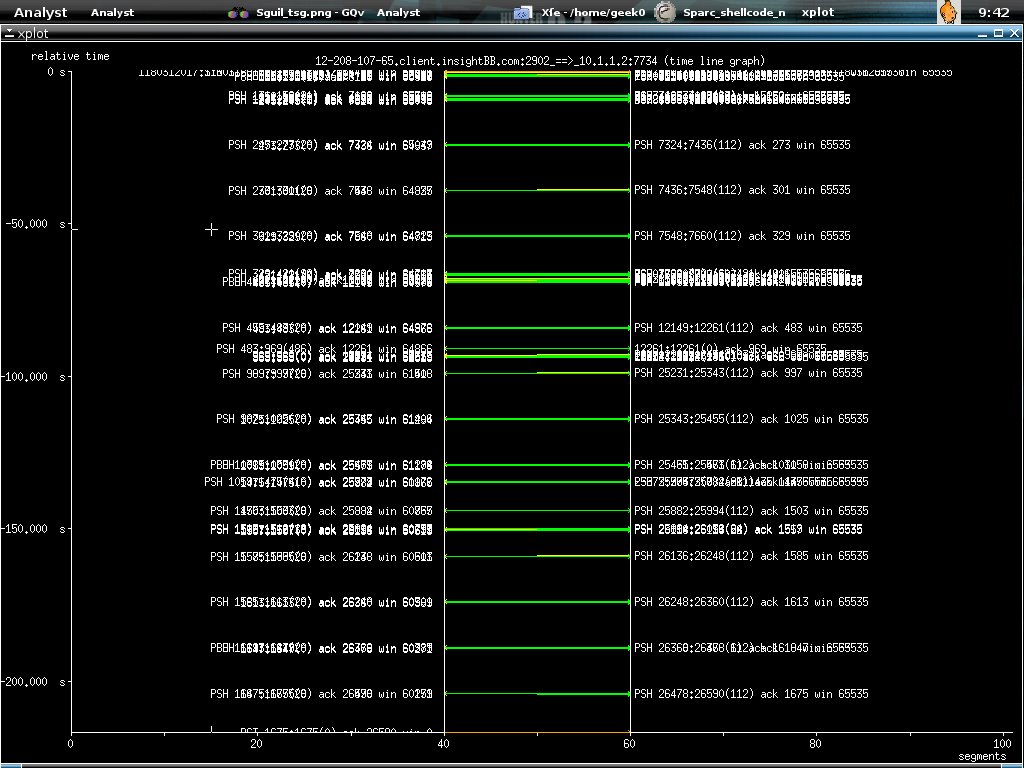
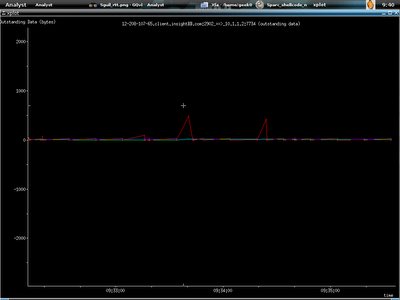
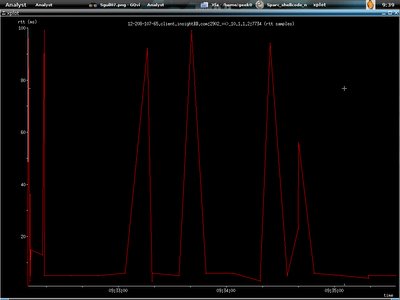
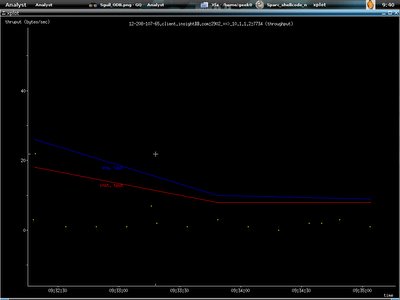
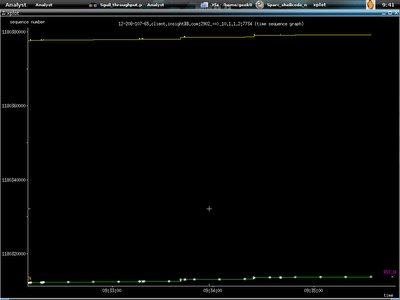
All the graphs here showing traffics from 12.208.10.7.65 to 10.1.1.2. The first graph is illustrating outstanding data bytes. I run xplot to view it. It's not hard to use xplot anyway, if you want to zoom in the graph, just drag your mouse and focus on the part you want to zoom in and left mouse clicking, to exit the graph, just right click your mouse.

Shell>xplot SSC_a2b_owin.xpl

Second graph shows the round trip time :)
Third one shows the throughput.
This one shows the time sequence graph.
At last we have the one showing timelines, I bet you find this familiar if you read W.Richard Stevens tcp/ip book.
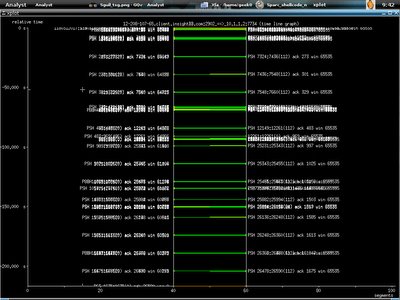
I zoom in by using left mouse clicking.
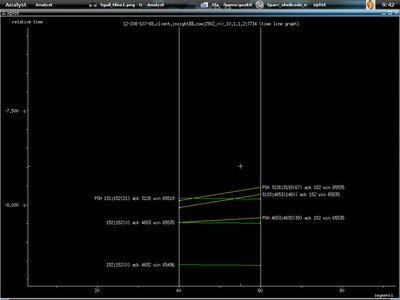
And the connection been terminated by reset packet sent from 12.208.107.65.
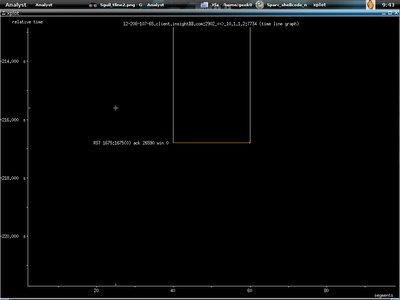
And I exit the graph with right mouse clicking. Now I will show the ttt. I load the MS05-047 exploit traffic, however since I don't filter out other traffics, you will see how ttt does protocol break up. Just enter the command below.

Shell>ttt -dumpfile MS05-047_traffic.pcap
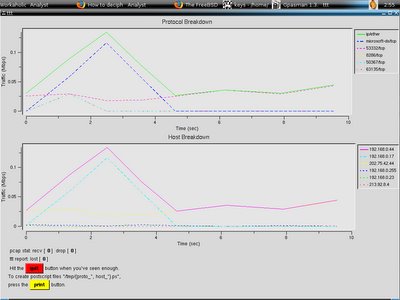
This one showing the progress of the traffic for Sparc_shellcode_noop intrusion when I just run

Shell>ttt -dumpfile Sparc_shellcode_noop.pcap
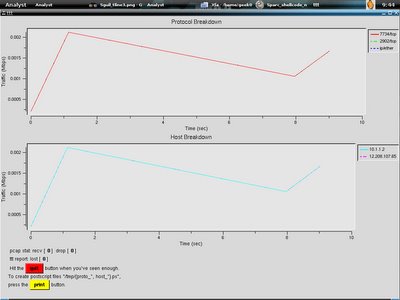
You can print the data in postscript format by clicking on print button below and it will be saved in /tmp.

While I was listening to F-Secure, Mikko Hypponen speaking in HITB2005 Sec Conf regarding viewing malicious code in 3D-graphical view saves a lot of works, will it do the same if we able to view the network data in graphical view, for sure it is, I'm still wondering is there any tools that allow us to load the pcap file to graphical view, and while we click on the graph, it will show which network packet is actually running on that point, that might save a lot of works for both network and security analyst while perfoming Network Troubleshooting and Forensic. I think netdude should be able to do it quickly if they have xplot plugins. However I wish ethereal has this capability to ease the task of network analyst. All the tools above are available in FreeBSD ports/packages, and shouldn't be hard to find it in linux.

My last word here is, please give comments if you read my blog, and tell whether it is good or bad so that I able to improve it, Thanks :-]

I really need inputs from readers .....
Offline - Taking good care of my eyes

I was offline and away from computer screen for last two days, this is good for my eyes as both of them getting worst since I change my job. Now I'm back online and first thing that need to be done is upgrading my blog, hopefully everyone is fine and getting start to work now :).

Tuesday, November 01, 2005

Do you like your ISP?

Here's I present you, the best survey ever! Mr.ISP is surveying and he found the target - Mr.XYZ.

Below is their dialogue .....
Mr.ISP: What is the best experience and offer by Tmnut Screamyx so far?

Mr.XYZ: Terminate my line if I haven't paid the bills for 3 months even though they don't send me bill or send to wrong address.
Mr.ISP: Do you think they able to help you to fix your internet connection in time after you have been bugging them.

Mr.XYZ: No, the only immediate action they will take is if you don't pay their bills.

Mr.ISP: Why don't you change internet service provider?

Mr.XYZ: This fucker monopolizes(pollutes) the market!

Mr.ISP: Tmnut offer 1Mb connection, don't you like fast internet?

Mr.XYZ: What you expect?! I pay for 1Mb, and I get 512kbps and sometimes lesser. I want REFUND!

Mr.ISP: Thank you. This is honest feedback indeed.

Mr.XYZ: You better get out of my way fast, else I gonna poke you!

To be continued .....

If you think I'm making a stupid joke, sorry that you totally have no idea what i'm talking about.... this is a fact.

Everyone love truth!!!!!

Sunday, October 30, 2005

Netdude & Tcpreplay

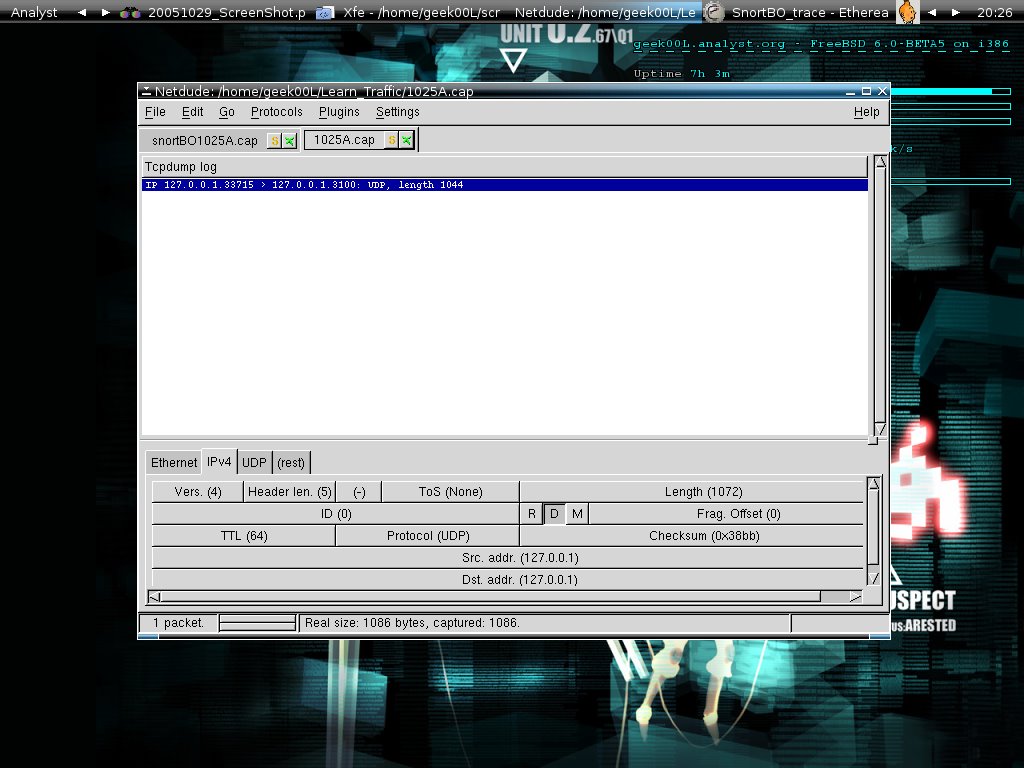
I have read the taosecurity blog and the post regarding Snort BO exploit is kinda interesting, Kyle Haugness has written a tool to detect the Snort BO exploit and he recommends using netdude and tcpreplay to edit and replay the pcap file that provided by him. Let's see how we can do it by using these two tools.

Download the pcap from Kyle's site.

shell>wget http://handlers.dshield.org/khaugsness/1025a

Then load the pcap file to netdude.

Now change the ip and mac address by just double clicking the header field. I assume source ip is 192.168.0.44 and destination ip is 192.168.0.66.

After you have modified it, save it and you can now replay the pcap file. As I save the file as snortBO1025a.cap, we can now replay the pcap file by enter the command below.

shell>tcpreplay -i bge0 snortBO1025a.cap
sending on:bge0
1 packets (1086 bytes) sent in 0.68 seconds
157528.3 bytes/sec 1.20 megabits/sec 145 packets/sec

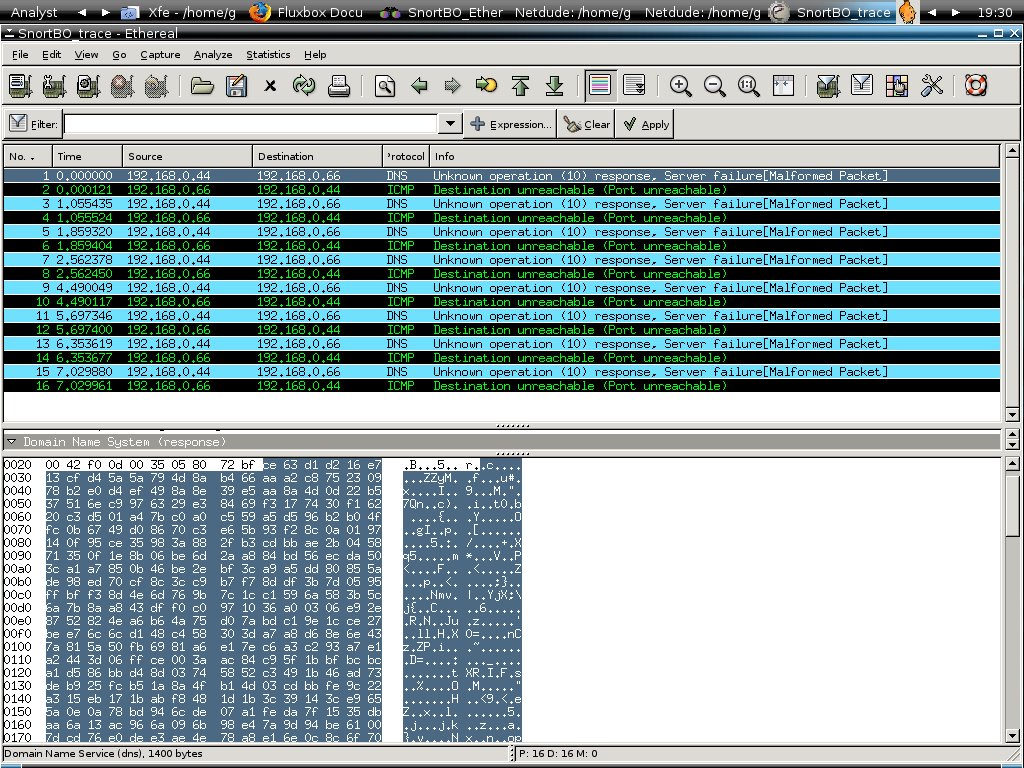
Here's the result shows in ethereal, it seems work and I have sent 8 packets.

The payloads below show the replies from the host 192.168.0.66

Tcpreplay is nifty tool to replay the traffic, however I'm using the old 2.2 version which is in freeBSD port, the latest should be version 3 which is more powerful and I will try it if I have time in hand.
Netdude is the easiet tool I find so far for packet modification purpose, of course it is nothing hard to do with packet forging as well when you able to modify the header of packets. For ethereal, one really good point that I give thumbs up for it is that the capability of differenatiate normal and malformed packet. This is definitely saving the valuable time of analyst in handling incident response and network forensics :)

For people who fall in love with Packet Monkeying, go SCAPY!!!!!

~Eye Candy & Happy Holiday~

This is the new screenshot{eye candy} of my workstation. I have ease my tasks by writing some scripts to make it works perfectly as my analyst workstation :).
I will blog more since I have noted down all the stuffs that I have done. For all the Malaysian, enjoy your holidays and celebrations, peace!

Happy Deepavali and Hari Raya :-)

Wednesday, October 26, 2005

RPPPOE - The Penguin PPPOE client

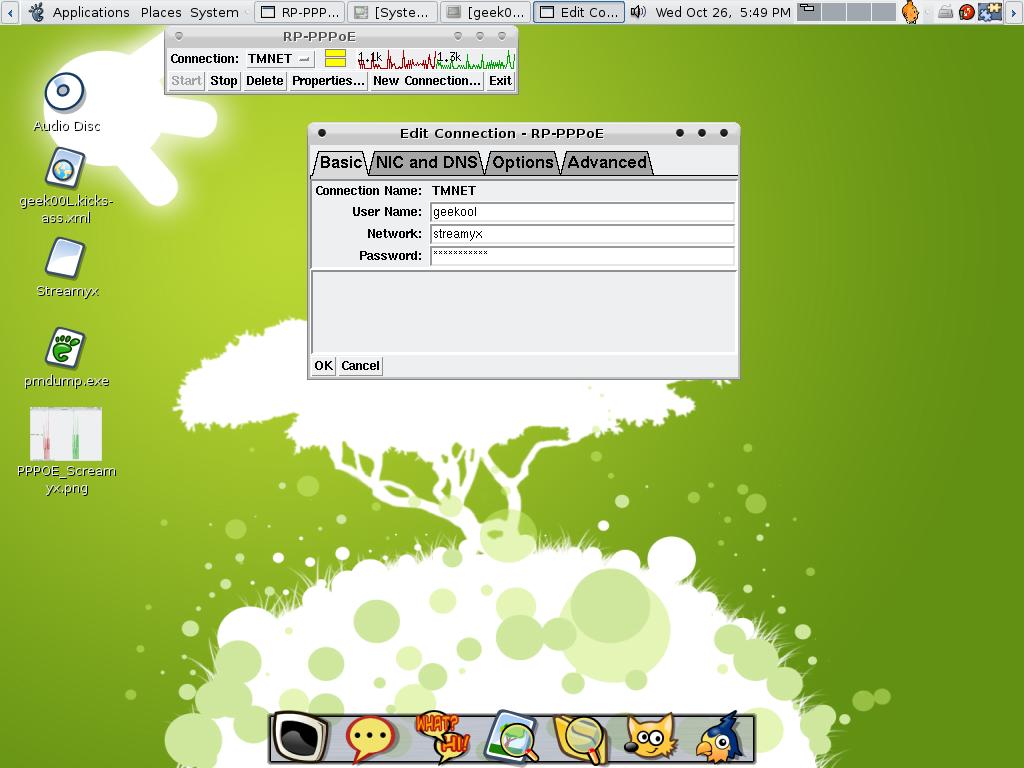
If you are novice user like me and just use your linux box as desktop, there's nothing much to do with hardcore techie stuffs, all we want is simplicity and user friendliness. Here I will show you a little tool to dial your ADSL pppoe connection(Streamyx in MY). Using RPPPOE, you can just easily dialing DSL connection like what you normally do in windows XP.

Just type in the necessary info ... and click on start button ... and you are done.

This client is good enough to show the upstream and downstream :)

This tool is available in freebsd port as well, however I have never tried it yet on that platform. Hopefully I able to show more and more applications that works well for normal users in my future blog. Enjoy the internet connection, cheers :-)

Tuesday, October 25, 2005

Colorize the RedDevil

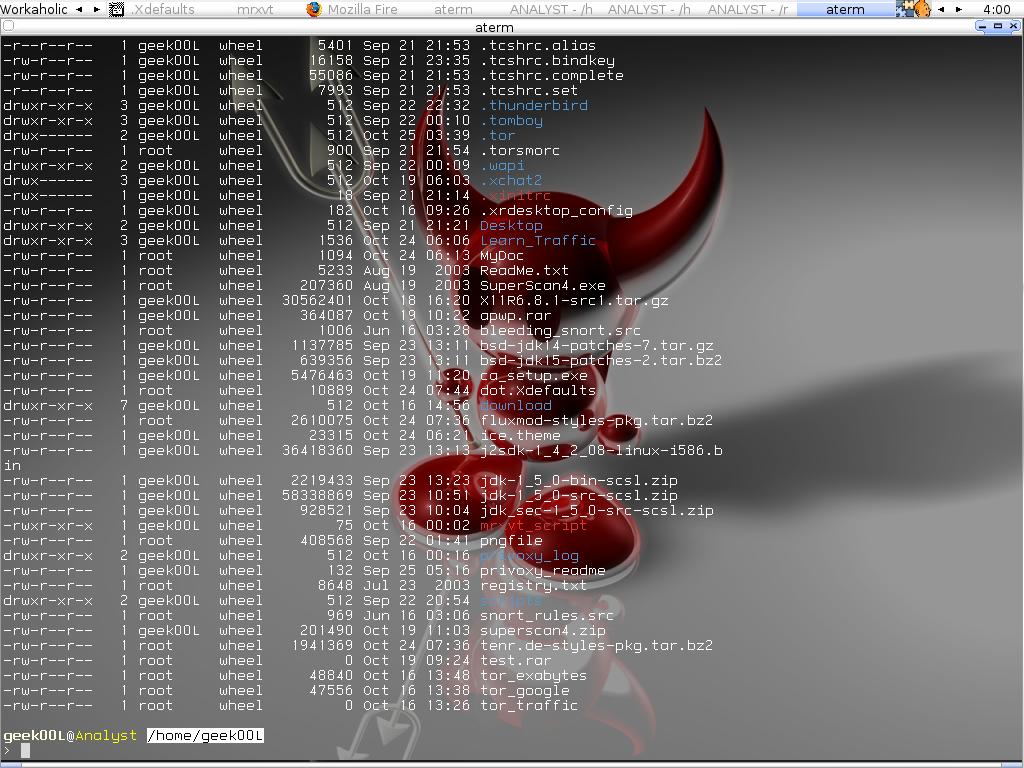
I guess everyone love colorized terminal as it makes you more easy to work with files especially when you don't have good file manager like me. Here is how it looks in freeBSD with the command: ls -laG.
Another screenshot I have brought this time is irssi, the irc client. Irssi is not gui based however it offers all the nice funtions that irc client suppose to have. Thanks to tenner from #fluxbox of your irssi ice theme. You've always been so kind. For people who prefer gui based irc client, you can have gaim or x-chat, let's love oss!


Everyone love clean stuffs :)

Monday, October 24, 2005

In response to linuxlah tips

How to login to multiple servers on one-go using mrxvt?

Most prolly you can find the answer in his recent blog, the tip is nice as I myself using mrxvt for my daily task. However for the part of which you will have multiple tab with the same name might be annoying and you have to either rename it manually or use the perl script workaround by linuxlah.

You can actually use the command below to overcome it :)

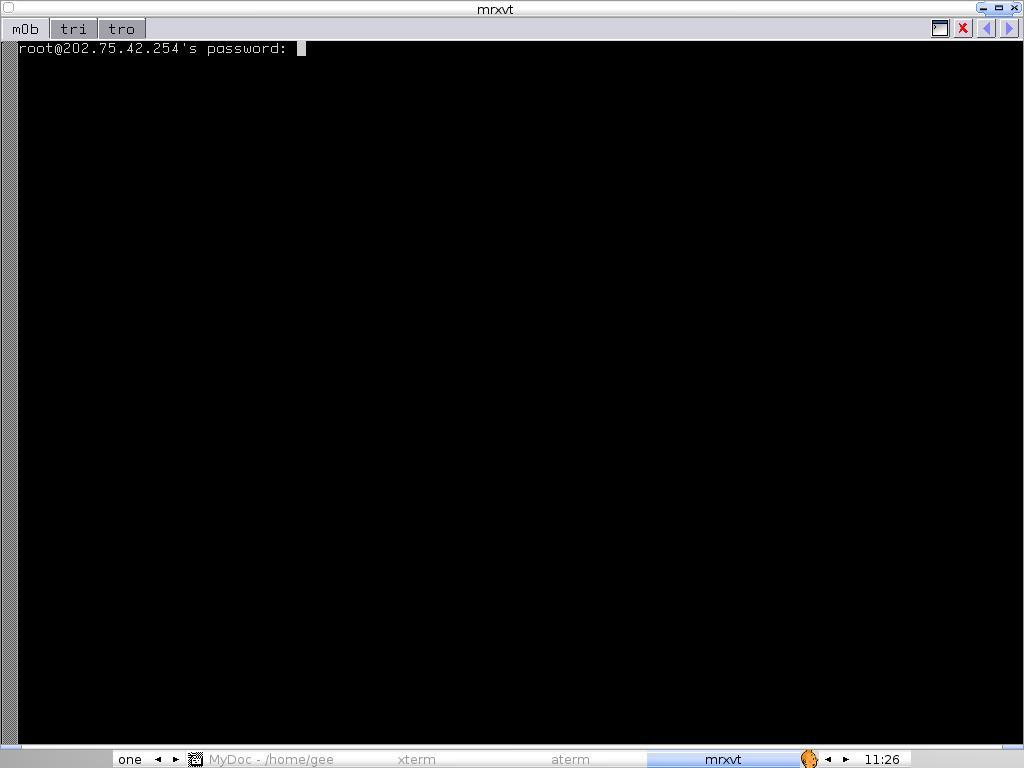
shell>mrxvt -vt0.tabTitle m0b -vt0.e 'ssh root@202.75.42.254 -p 22' -vt1.tabTitle tri -vt1.e 'ssh root@192.168.0.5 -p 22' vt2.tabTitle tro -vt2.e 'ssh root@192.168.0.10 -p 22' -tnum3 -bg black

That's how it looks like :)


Hopefully it helps!

Sunday, October 23, 2005

[[[Shuttle PC]]]

Finally I get myself offline, and get to shop at Prangin Mall in Penang, and there's a little box caught my eyes. After talking to the sales boy, he told me I can find the info regarding this little box online. It must be fun to own one :).

If you are interested about the little box too, check out the link below.

http://au.shuttle.com/Product/Barebone/brb_default.asp

Enjoy!

Gmail - Against all odds?

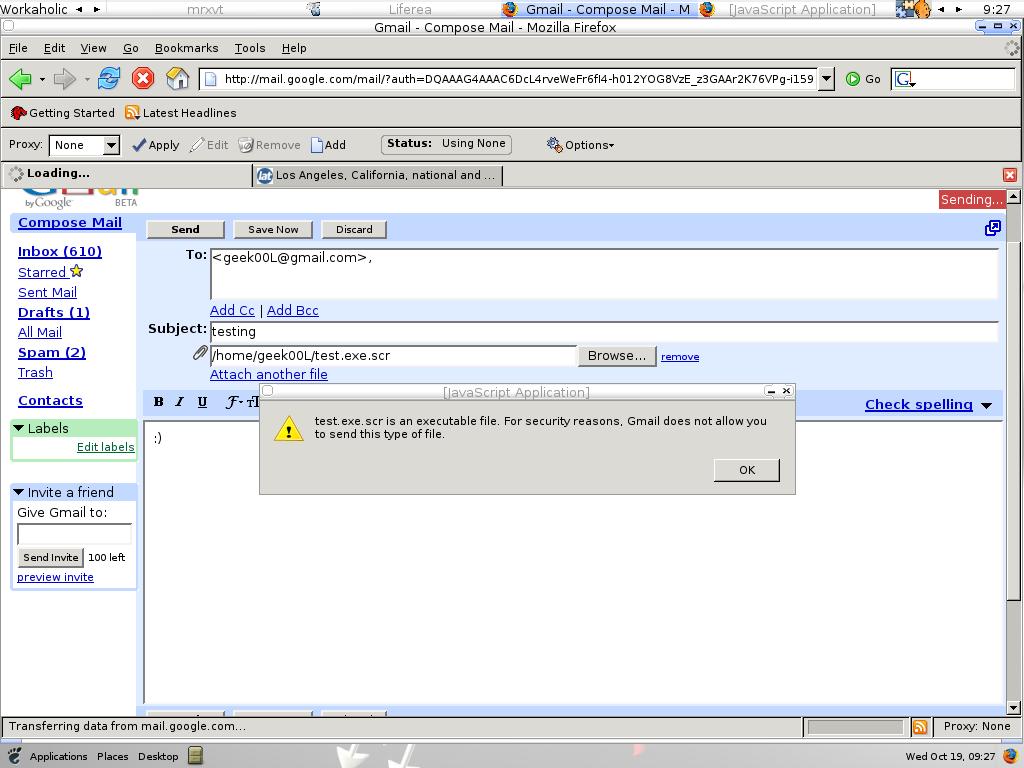
Google has taken drastic steps to fight for spam, and now they are taking mail viruses/trojans seriusly, today when I try to email .exe file to my friend, it gives me the error below.

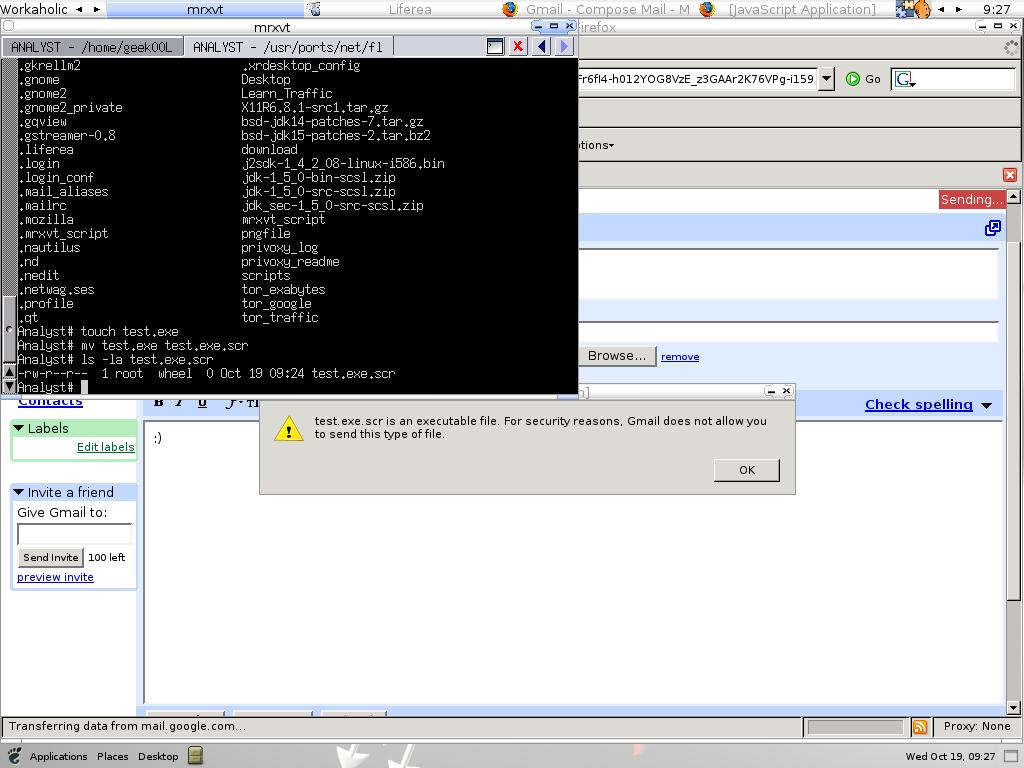
For sure I'm wondering, are they really that strict? Then I change the file extension to .exe.scr and see if they really block on it, yet I get my answer quickly.
It might be blocking for a attachment that having .exe or .scr extension(considered not payload checking), if you look at the error message closely, it says that .exe.scr is executable file and can't be delivered :P

At some point, this is real good for a fact that most users are just has no idea about security.

Saturday, October 22, 2005

Toying with OpenBSD PF

Today while I just back from my hometown, fire up my machine and login to the #pf in freenode, and there's a guy asking how PF interactively reply to the packets when people try to apply this rule.

block drop in on $NIC inet proto icmp from any to any icmp-type unreach code net-unr

Normally ths rule is just applied so that if anybody who try to probe using icmp will get the message of icmp destination net unreachable. Let's test it out.

Results Comparison

Windows machine

cmd>ping 192.168.0.5

Pinging 192.168.0.5 with 32 bytes of data:

Request timed out.
Reply from 192.168.0.5: Destination net unreachable.
... ... ... ...

Freebsd machine

shell>ping 192.168.0.5

Pinging 192.168.0.5: 56 data bytes
36 bytes from 192.168.0.5: Communication prohibited by filter
Vr HL TOS Len ID Flg off TTL Pro cks Src Dst
4 5 00 5400 b16c 0 0000 2d 01 51a4 192.168.0.4 192.168.0.5
... ... ... ...

--- 192.168.0.5 ping statistics ---
6 packets transmitted, 0 packets received, 100% packet loss.

Linux machine

shell>ping 192.168.0.5

Ping 192.168.0.5 56(84) bytes of data.

From 192.168.0.5 icmp_seq=0 Packet filtered
From 192.168.0.5 icmp_sqd=1 Packet filtered
... ... ... ...

--- 192.168.0.5 ping statistics ---
21 packets transmitted, 0 received, +19 errors, 100% packet loss and bla bla.

I log the traffic using tcpdump, it seems that freebsd is giving me the exact error message that I supposed received. Basically I don't think this is good rule to be applied, single icmp packet can easily detect the box as firewalling boxen. Windows box is totally been fooled, let's screw script kiddies.

Do you smell Packet filtered?

Wednesday, October 19, 2005

MMORPG == MMWRPG

For people who don't know what is MMORPG, let me explain a bit, MMORPG is so called Massive Multiplayer Online Role Playing Game that enables thousands or perhaps millions of players to play in an evolving virtual world at the same time over the Internet, refer to wikipedia. So what is MMWRPG, this term you can't find it in wikipedia and only in my dictionary, MMWRPG that defined by me is Massive Multi Worm Online RPG. For people who don't know what is RPG, RPG is actually a self-adventurer type of game in few years back, however with MMORPG, no longer it is self-adventurer but you are allowed to know my people, friends in a virtual world instead of playing solely. Interactive is human's nature, therefore more and more people become adaptive to the MMORPG.

You might think I'm crazy to say things like this since it may not happen in the future, however this is just my prediction, of which I have certain points that make me believe that MMORPG will be the main target of trojan/worm writers. Based on my study, I found out what I feel convincing.

1. Most of the gamers pro in gaming, know nothing about computer science, they are easy to be tricked.

2. Worm is about spreading, MMORPG is massive, doesn't it sound so close?

3. Most of the games are natively supporting windows, that is easy target, writing worm/trojan/viruses for windows application is much more easy.

4. More and more players trading items in the MMORPG, talk about trading heh, I want your credit card info.

5. Nuff said, they are all online, and online most of the times, it would be good to have such supportive bots.

There are more to say about it. I have seen lots immature scenes that those bad guy written a trojanned version of games, support applications that stealing game accounts which is not so serius yet. However with recent noticed of bot spreading words in warcraft channel regarding interesting(malicious) link. We will soon seeing more and more mature worms mitigation in gaming world of which stealing your personal info, cookies, credit card and so on. The massive worms will start their journey of adventure in gaming world. Beware!

~Welcome to the Age of MMWRPG~

Tuesday, October 18, 2005

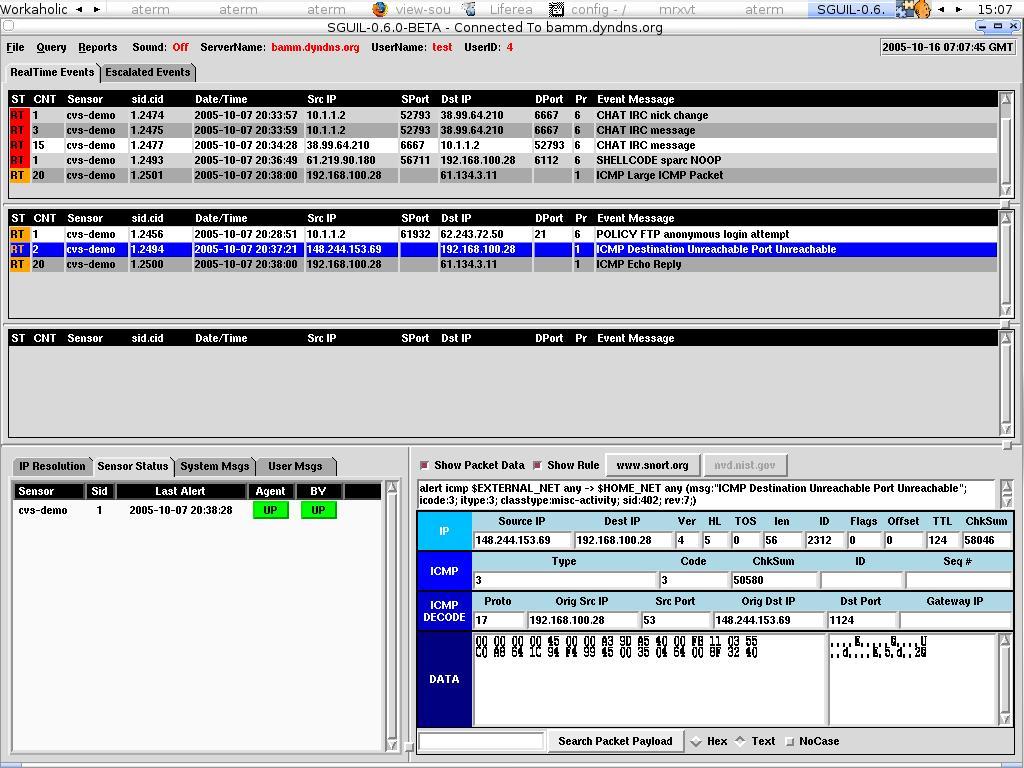
Sguil Client 6.0 beta - Sensor status addon

Sguil Analyst Console now has this new feature - Sguil Sensor status(notice in the left down pane). It is good to keep track of multiple sensors if we have features like this, sguil owns!
And I'm still wondering when Sguil 6.0 release hit the ground :P

Monday, October 17, 2005

***Torifying with Privoxy***

Anyone who prefer to be true anonymous, tor and privoxy are the best friends for you!

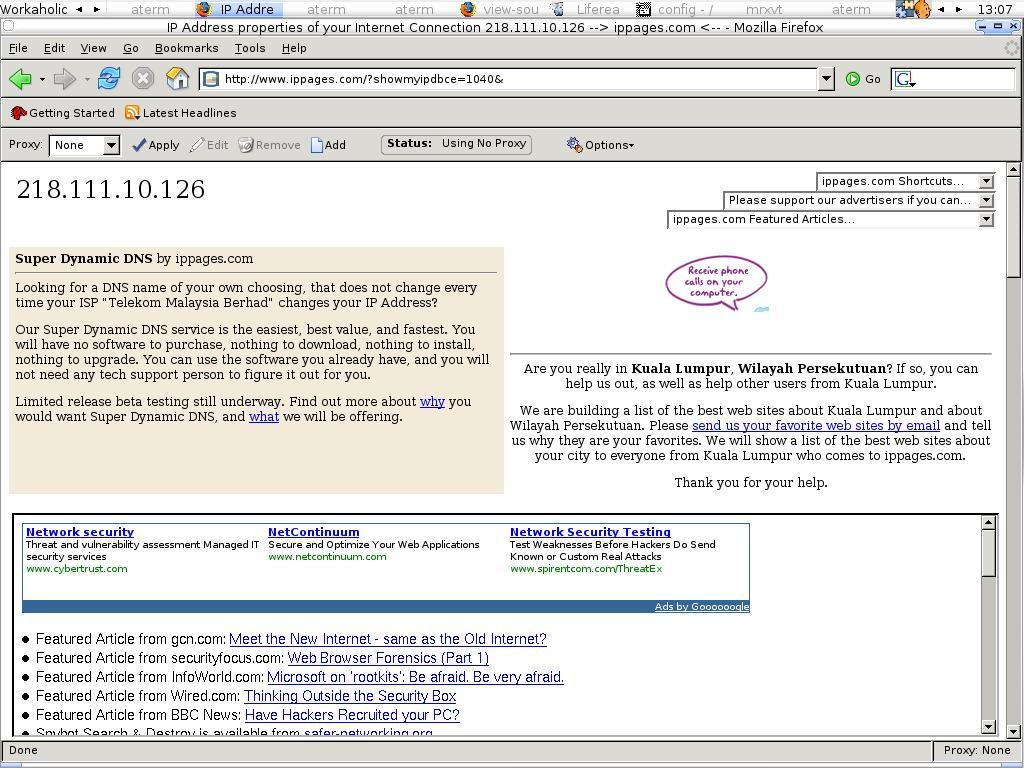
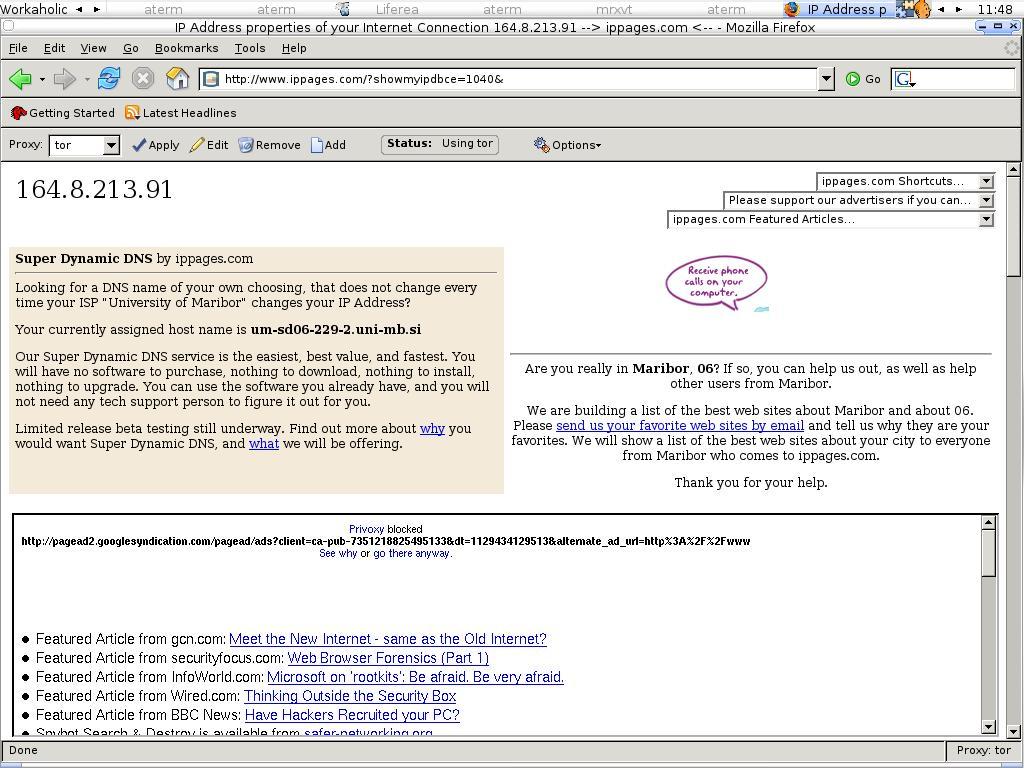
Let's see the difference of it, seeing is believing ... ... ... ...

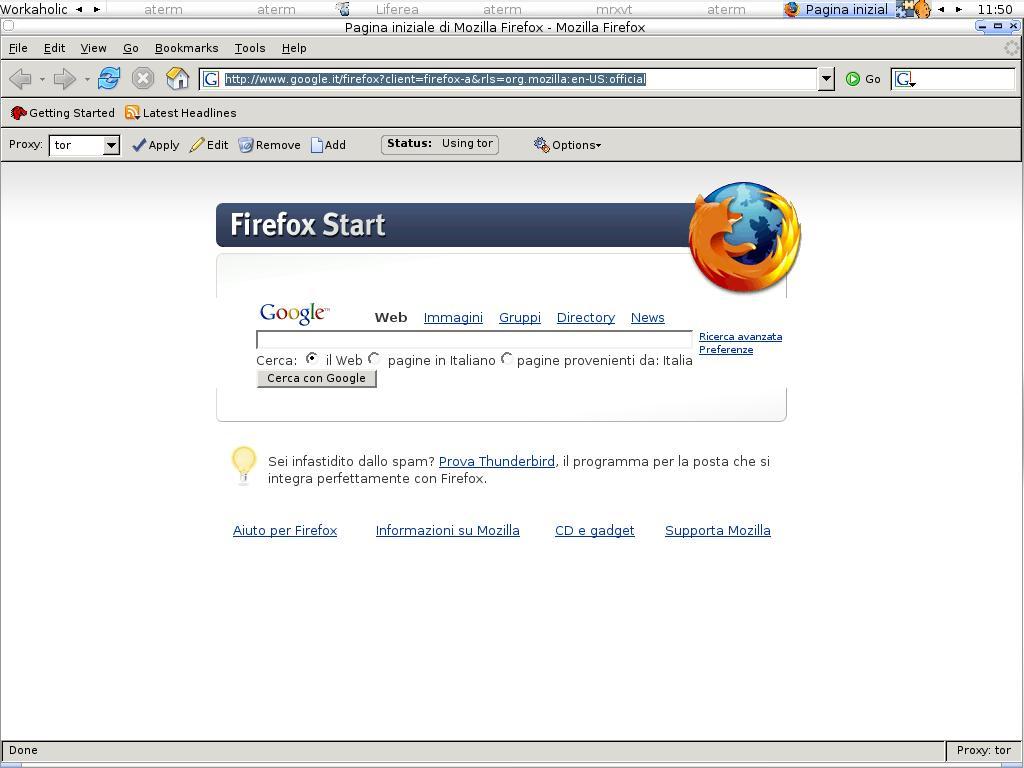
Before torifying the firefox :(

After torifying the firefox, sorry if the IP is yours :P

That's my firefox initialize page, I'm not from Italy :P

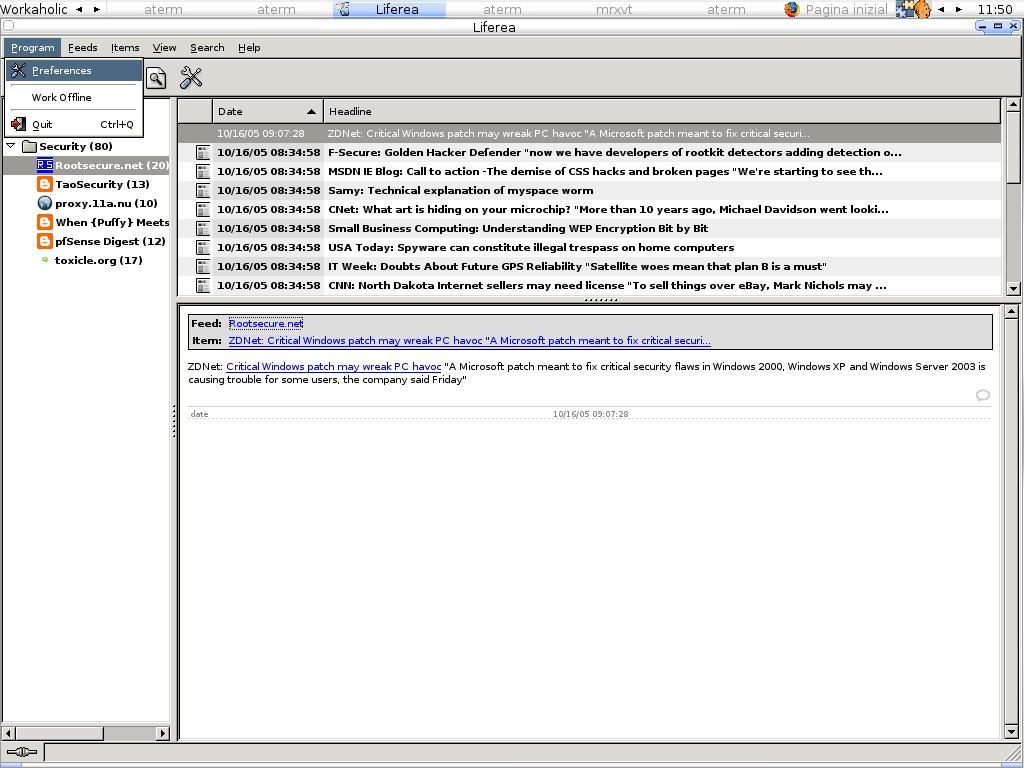
Okay, this is how to torify for liferea, two steps and you are done. First step ...

Second step ... ...
Tada, no one knows where are you coming from!

Sunday, October 16, 2005

For the lazy Network Admin ...

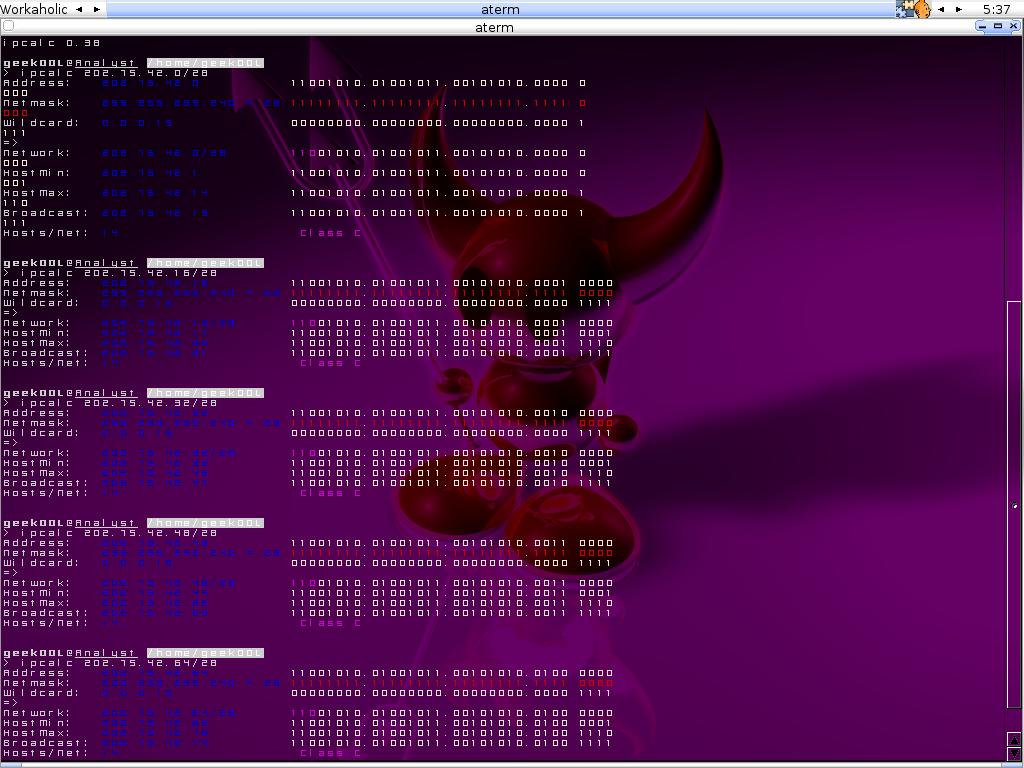
If you are real lazy on subnetting or you just don't know how, check this out ... ... ... ....

Squid Reverse Proxy + Mod_Security = ?

You think you have firewall, IDS/IPS and that's good enough? I have recently deployed few squid reverse proxy boxes per client request, it seems that with Mod_Security kicking in, you can have very effective intrusion prevention boxen for your http server protecting your vulnerable web applications. More than that, you can even have the access control list since squid is flexible enough with it's extensive configuration.

Perhaps you might say that it is just another firewalling box, however that's not the case, imagine you can have the reverse proxy deployed anywhere which not bounce to the geographical limitation, another advantage is that it can serve client request more faster since squid offer caching as well.

Squid Reverse Proxy + Mod_Security = Next Generation Defense Perimeter!

I should have written more but I'm tired now ...... sweet dream guys...ZzzzZZZZ....Snorting.....

Friday, October 14, 2005

Python - The next generation hacker language?

Why PYTHON?

There are more and more sec/hack tools that are created using python nowadays. For example, flowgrep, scapy and etc. Instead of perfomance issue, python seems to be one of the greatest scripting language ever to write sec/hack tools. Modular design and object oriented make it shiny and yet powerful, clean implmentation, less code liners and human readable make it a perfect language even in debugging level.

Get a python kickstart at http://diveintopython.org now.

Unleash the power of SNAKE, don't spend more with less!

Tuesday, October 11, 2005

~Flowgrep v0.9 powered by Libdistance~

For anyone who has attended HITB Sec Conf this year, you might still remember the shiny presentation of Jose Nazario regarding libdistance.

Wake up from the dead in the morning today, I do receive an email from Jose that he has finished the initial stage of getting libdistance to empower the flowgrep, I'm totally happy with that since Jose has really done what I have requested during HITB Sec Conf and I'm very much appreciate it. I can't wait to try it now, therefore what I can do is get it installed in my freebsd analyst workstation.

In order to get flowgrep-0.9 working for you, install the freebsd packages or ports below.

Libnet-1.0.2a
libpcapnav-0.5
python-2.4.1_3
swig-1.3.25_1
perl-5.8.6.2

Once you have all the dependencies, you can start downloading the libdistance from Jose site.

shell>cd /usr/local/src

shell>wget http://monkey.org/~jose/software/libdistance/
libdistance-0.2.1.tar.gz

shell>tar xvzf libdistance-0.2.1.tar.gz

shell>cd libdistance-0.2.1

shell>make

To have access libdistance from python, you have to install it too

shell>cd python

shell>python setup.py install

We are done with libdistance now, times to fetch flowgrep-0.9 source.

shell>wget http://monkey.org/~jose/software/flowgrep/
flowgrep-0.9.tar.gz

shell>tar xvzf flowgrep-0.9.tar.gz

shell>cd flowgrep-0.9

shell>cp flowgrep.py flowgrep

shell>python setup.py install

Flowgrep 0.9 will be installed in /usr/sbin

I have installed the flowgrep 0.8 previously from freebsd ports and it doesn't really matters since it is in /usr/local/sbin.

Flowgrep version 0.9 has libdistance integrated, it is more powerful now! I still need more times to explore the New Flowgrep, hopefully Jose will improve the perfomance of it in coming future.

Faithful thanks to Jose Nazario, you are a real Monkey!

Netgear WG311T

I have bought the Netgear WG311T Wireless pci adapter, it comes with atheros chipset. So I just plug it into my pfsense(FreeBSD 6.0 kernel) box and automagically it detects it as ath0. Thanks to Kaeru from myoss introducing me this adapter.

Now I just configure it as my Wireless AP and I'm on the run :)

Whoever likes D-link product, you can buy this model which is using atheros chipset too, dwl-G520.

Netgear and D-link doesn't pay me for advertisement, I just mentionned here to help anyone who want to buy valuable wireless products which work well with OSS.

Monday, October 10, 2005

(-: Atheros pleasure :-)

For any linux/bsd wireless users, atheros chipset is always well supported. I have always asked myself where can I find atheros chipset wireless products and here we go :)

http://customerproducts.atheros.com/customerproducts/

Hopefully this may help you a lot instead of google nowhere :P

Enjoy!

Sunday, October 09, 2005

Snort + Nessus News

Sourcefire, the company founded by Marty Roesch(Snort's father) was acquired by Checkpoint. However Snort's license will be still remained as GPLed, Checkpoint claims that they will continue supporting the Snort Community, and I'm not really sured about how they define "support" in this case. I'm still happy with this case as long as snort remain it's open source status.

Here comes the bad news, Nessus v3 goes close source, so we no longer have access to Nessus source code. But it will be distributed in binary form and trying to support as many OS platforms as possible.

Will more and more open source projects go commercial after they are well established? I do think it might be the trend in the future where you will see more and more open source projects get into the world of commercial.

Friday, October 07, 2005

Ubuntu Linux Sguil-Client - the quick and easy

Ubuntu Linux is now gaining more and more popularities and I have been asked whether deploying sguil sensor on Ubuntu Linux is easy, however since I have got no time to try it out yet, previously I have given sguil-client a shoot since I have it installed as desktop in one of my machine. Wondefully, it is so easy to get it working ......

Tcl8.4 and Tk8.4 is already installed by default when you install Ubuntu Linux as desktop instead of base installation, therefore we just install other sources that needed by sguil-client. Here we go

shell>sudo apt-get install tcltls
shell>sudo apt-get install tcllib
shell>sudo apt-get install tclx8.4
shell>sudo apt-get install iwidgets4

The itcl3 and itk3 will be installed while you fetching and installing iwidgets4, so now we already have all the dependencies, we can start downloading the sguil client.

shell>wget http://jaist.dl.sourceforge.net/sourceforge/sguil/sguil-
client-0.5.3.tar.gz

Just untar it and you will find there's a sguil.tk in the client directory. You can either double click the sguil.tk file or just run sguil.tk and you will have sguil analyst console popping up :)

Remember to edit the path in sguil.conf and you are good to go.

set BROWSER_PATH /usr/bin/firefox
set ETHEREAL_PATH /usr/bin/ethereal

Done!

Thursday, October 06, 2005

[[HITB Sec Conf 2005 Presentation Slides]]

For anyone who want to have quick access to HITB Sec Conf 2005 presentation slides, you can download them @t

ftp://ftp.prabu.us/hitb2005/

Enjoy :)

Thanks to Prabu the Speedy!

Wednesday, October 05, 2005

Nice shots in HITB Conf 2005

Discussions with Dr. Jose Nazario
Joanna from Invisiblethings.org ;)

Thanks to Paul Ooi for sending me the pics of mine in HITB event !

Tuesday, October 04, 2005

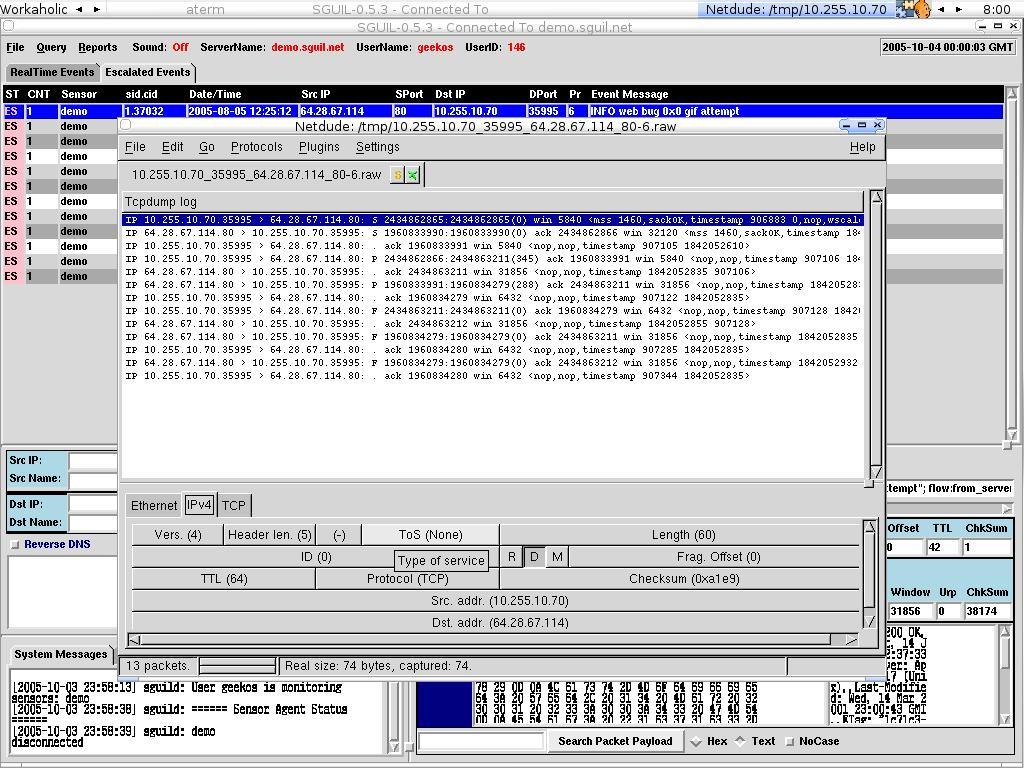
Netdude dancing with Sguil Client !

I have just finished my reading on the sguil user mailing list. One interesting mail caught my eyes of which asking whether can have netdude replacing the ethereal since ethereal is not available in OpenBSD port anymore. So I just tried out to see if it works since I have netdude installed previously, here we have another replacement to ethereal - Netdude :).

If you don't know what is netdude, check out the link below.

http://netdude.sourceforge.net/

Hereby with the screenshot of it, seeing is believing ......