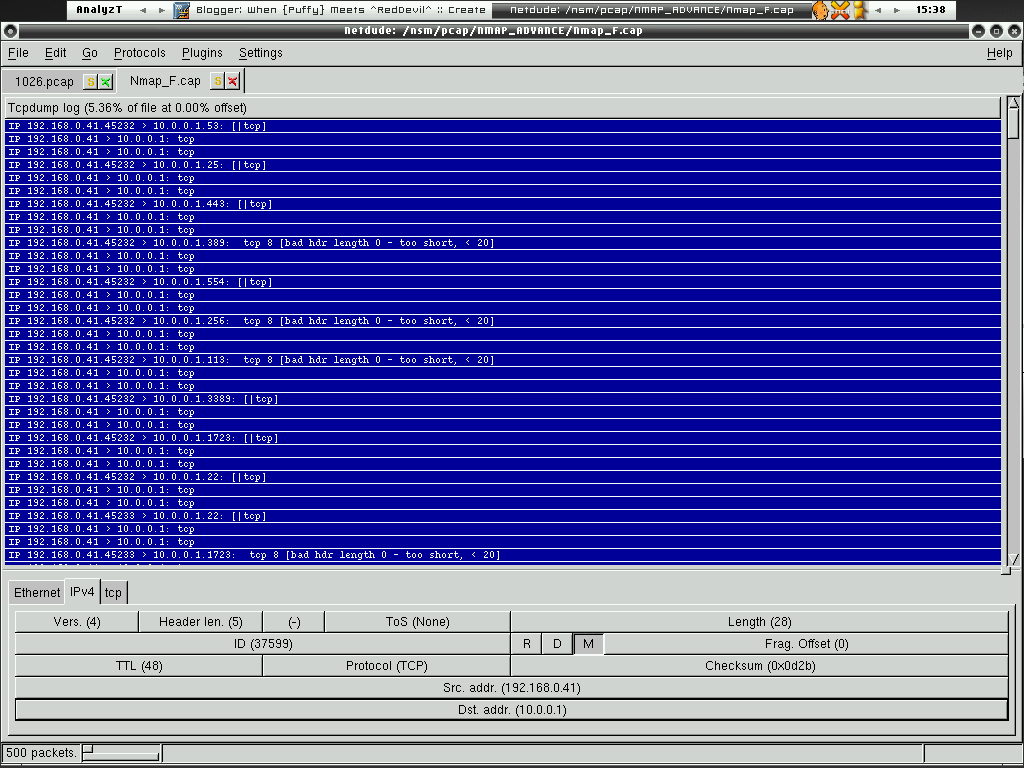
Talking about editing pcap files, I always have this problem where I want to change the IP address to another IP address, for example I want to change 1.2.3.4 to 192.168.48.21, I can do it easily if it is only fewer records or small pcap files with netdude. However I always have problem with this kind of Pcap files where IP 1.2.3.4 is in the source and destination IP field(bidirectional for example TCP connections), if I use netdude to change the IP address by highlighting the pcap records, all the source IP will be changed to the same as 1.2.3.4 which I don't want. In TCP connections, we usually have this kind of connections,
1.2.3.4 -> x.x.x.x
x.x.x.x -> 1.2.3.4
1.2.3.4 -> x.x.x.x
So if I use netdude, it will becomes -
192.168.48.21 -> x.x.x.x
192.168.48.21 -> 1.2.3.4
192.168.48.21 -> x.x.x.x
This is very inconvinient and I have to manually change either the source and destination IP. I feel that there's lack of tool that can do the thing I want and fortunately we have latest Bitwiste which able to do this type of thing.
Let's say now I have this Pcap file called TCP-Learning.pcap -
shell>tcpdump -nr TCP-Learning.pcap
reading from file TCP-Learning.pcap, link-type EN10MB (Ethernet)
17:19:46.623049 IP 222.64.79.60.3493 > 1.2.3.4.80: S 676482397:676482397(0) win 65535
17:19:46.623101 IP 1.2.3.4.80 > 222.64.79.60.3493: S 814542684:814542684(0) ack 676482398 win 5840
17:19:46.834035 IP 222.64.79.60.3493 > 1.2.3.4.80: . ack 1 win 65535
17:19:46.882274 IP 222.64.79.60.3493 > 1.2.3.4.80: P 1:313(312) ack 1 win 65535
17:19:46.882323 IP 1.2.3.4.80 > 222.64.79.60.3493: . ack 313 win 6432
17:19:46.883334 IP 1.2.3.4.80 > 222.64.79.60.3493: P 1:615(614) ack 313 win 6432
17:19:47.184978 IP 222.64.79.60.3493 > 1.2.3.4.80: . ack 615 win 64921
17:19:53.598808 IP 222.64.79.60.3493 > 1.2.3.4.80: P 313:625(312) ack 615 win 64921
17:19:53.599825 IP 1.2.3.4.80 > 222.64.79.60.3493: P 615:1229(614) ack 625 win 7504
17:19:53.927832 IP 222.64.79.60.3493 > 1.2.3.4.80: . ack 1229 win 64307
17:20:09.744646 IP 1.2.3.4.80 > 222.64.79.60.3493: F 1229:1229(0) ack 625 win 7504
17:20:09.946046 IP 222.64.79.60.3493 > 1.2.3.4.80: . ack 1230 win 64307
17:20:14.316555 IP 222.64.79.60.3493 > 1.2.3.4.80: R 625:625(0) ack 1230 win 0
Now I want to change 1.2.3.4 either in source or destination IP field to 192.168.48.21, what I can do is just one liner with bitwiste,
shell>./bittwiste -I ./TCP-Learning.pcap -O TCP-Learning-edited.pcap -T ip -s 1.2.3.4:192.168.48.21 -d 1.2.3.4:192.168.48.21
shell>tcpdump -nr TCP-Learning-edited.pcap
reading from file TCP-Learning.pcap, link-type EN10MB (Ethernet)
17:19:46.623049 IP 222.64.79.60.3493 > 192.168.48.21.80: S 676482397:676482397(0) win 65535
17:19:46.623101 IP 192.168.48.21.80 > 222.64.79.60.3493: S 814542684:814542684(0) ack 676482398 win 5840
17:19:46.834035 IP 222.64.79.60.3493 > 192.168.48.21.80: . ack 1 win 65535
17:19:46.882274 IP 222.64.79.60.3493 > 192.168.48.21.80: P 1:313(312) ack 1 win 65535
17:19:46.882323 IP 192.168.48.21.80 > 222.64.79.60.3493: . ack 313 win 6432
17:19:46.883334 IP 192.168.48.21.80 > 222.64.79.60.3493: P 1:615(614) ack 313 win 6432
17:19:47.184978 IP 222.64.79.60.3493 > 192.168.48.21.80: . ack 615 win 64921
17:19:53.598808 IP 222.64.79.60.3493 > 192.168.48.21.80: P 313:625(312) ack 615 win 64921
17:19:53.599825 IP 192.168.48.21.80 > 222.64.79.60.3493: P 615:1229(614) ack 625 win 7504
17:19:53.927832 IP 222.64.79.60.3493 > 192.168.48.21.80: . ack 1229 win 64307
17:20:09.744646 IP 192.168.48.21.80 > 222.64.79.60.3493: F 1229:1229(0) ack 625 win 7504
17:20:09.946046 IP 222.64.79.60.3493 > 192.168.48.21.80: . ack 1230 win 64307
17:20:14.316555 IP 222.64.79.60.3493 > 192.168.48.21.80: R 625:625(0) ack 1230 win 0
This is clean and neat, thanks to Addy(author of bittwist) who has added this feature for the ease of use. Feel free to download it at here and give it a try.
What a powerful pcap editing tool!!!!!
Enjoy (:])